Start a Workstation
This section provides a detailed guide on how to start a remote workstation using the Tachyon platform.
Step 1: Navigate to Workstations Page
After logging into Tachyon, go to Workstations > My Workstations from the sidebar.
You will see a list of workstations that are in Running, Stopped, or Pending states.
Step 2: Start the Workstation
Click on the Launch button next to the desired workstation.
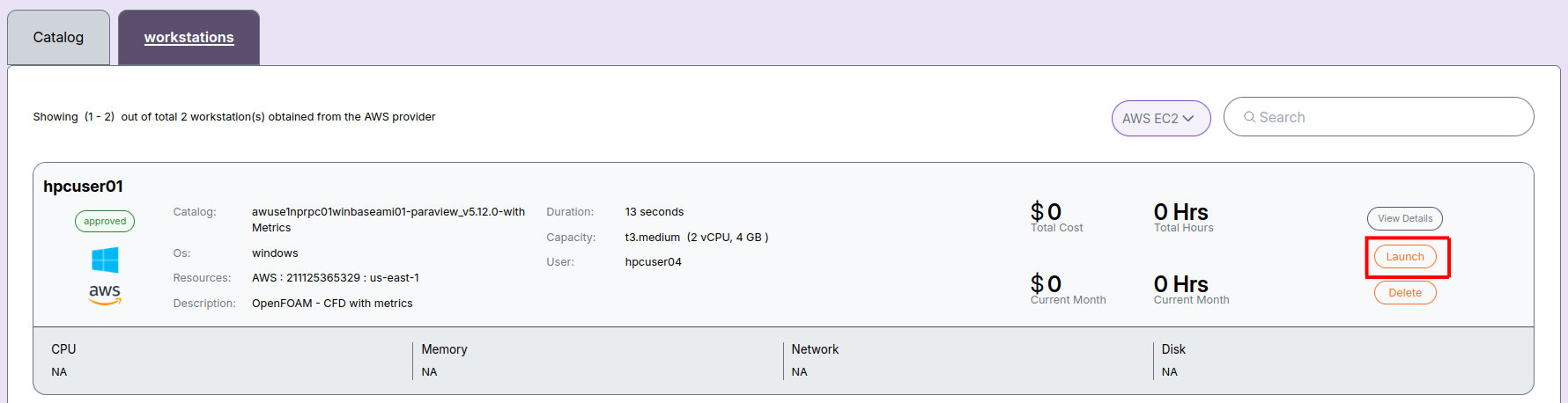
Step 3: Confirm Start Action
A confirmation dialog will appear. Click Yes, I’m sure to proceed.
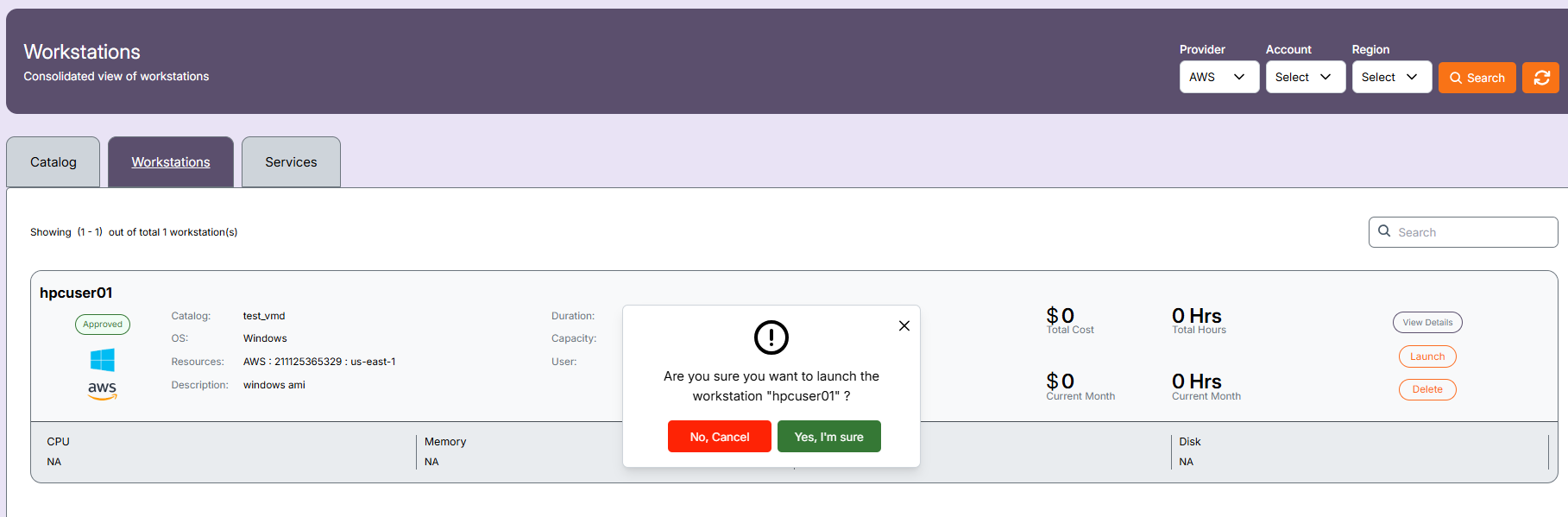
Step 4: Workstation Powering On
The workstation will enter the Initiated state while it's powering on.

Step 5: Workstation is Running
Once the workstation is ready, its status will change to Running.

You can now connect to it using Amazon DCV or a supported browser.
📌 General Notes:
- If you encounter any UI issues or have questions about job submissions or status, please contact the Admin for support.