Invoices
Invoices
The Invoices tab provides access to all generated chargeback invoices.
Users can view, verify, or download them for reference and record keeping.
Features
• Automatic Generation
Invoices are automatically created based on the Chargeback schedule.
They are sent to the relevant department manager between the 1st and 5th of every month.
• Invoice Listing
The invoice list displays a summary of all generated invoices, typically including:
| Field | Description |
|---|---|
| Department / Billing | Identifies the department or cost center for which the invoice is generated. |
| Period | The billing period covered by the invoice (for example, September 2025). |
| Spend | The total cost incurred during the billing period before applying credits or margins. |
| Credits | Any adjustments or credits applied to the department’s total spend. |
| Total Charge | The final amount billed after applying all calculations and credits. |
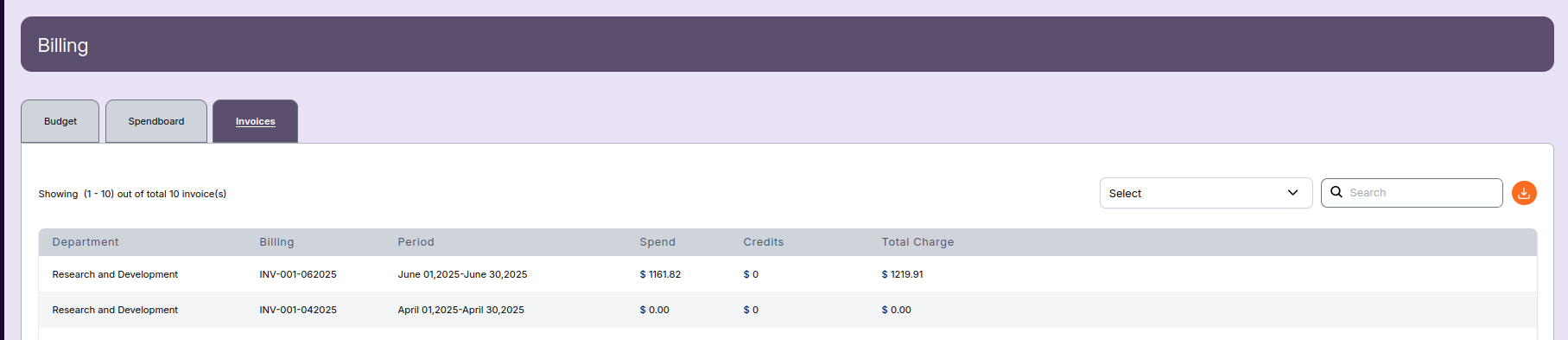
• View or Download Invoices
From the Invoices tab, users can:
- View – Click an invoice to open detailed breakdowns, including cost, credits, and usage summary.
- Download – Export invoices in PDF format for sharing, archiving, or auditing.
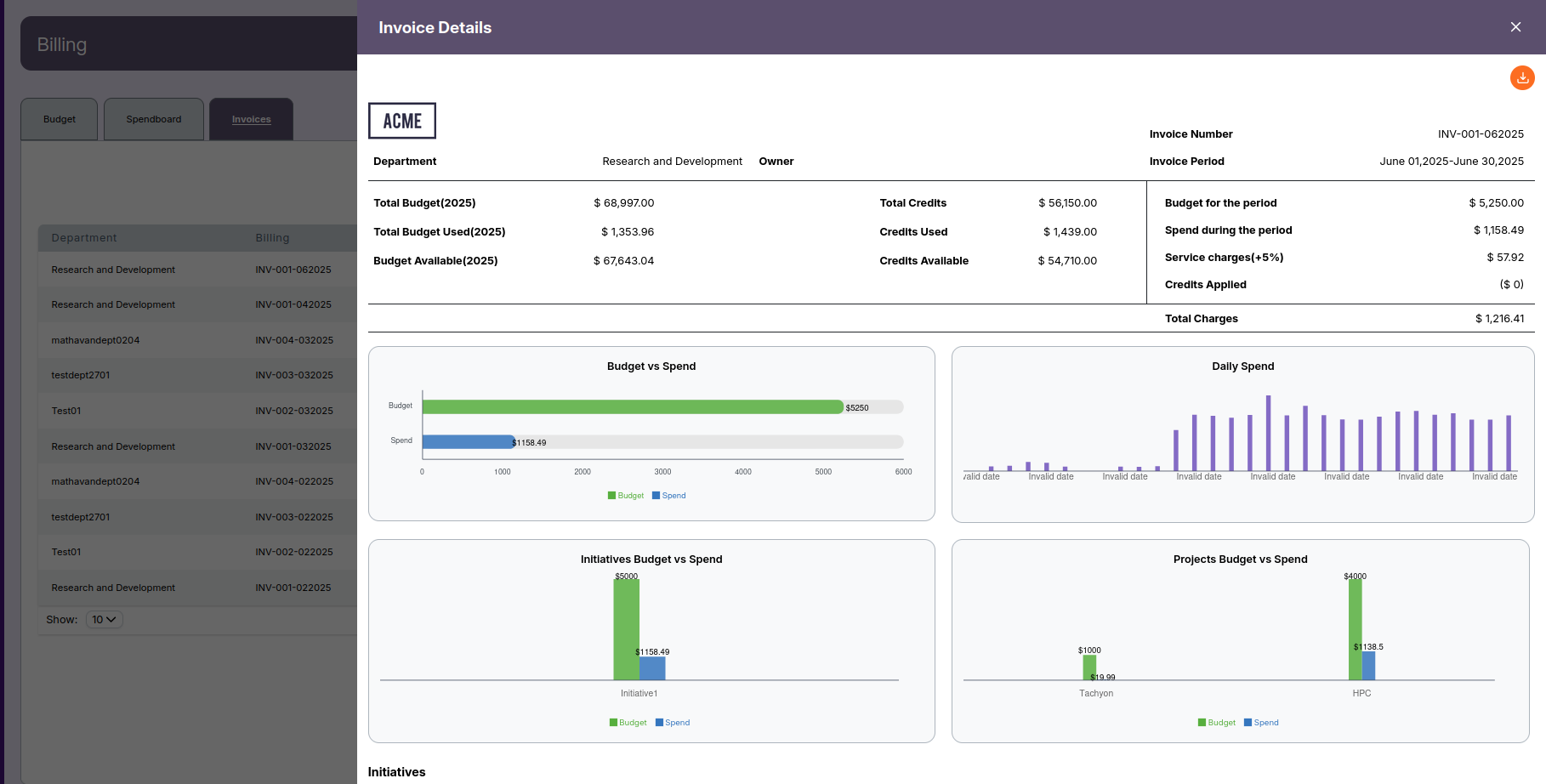
-
📌 Note
-
The Chargeback schedule determines when invoices appear in the Invoices tab.
Ensure that the schedule is configured correctly to avoid delays in invoice generation or delivery.