Delete an Alert Rule
This section explains how to delete an existing alert rule from the Tachyon platform.
Step 1: Navigate to Alerts Page
Click on Alerts from the sidebar to view the list of all created alert rules.
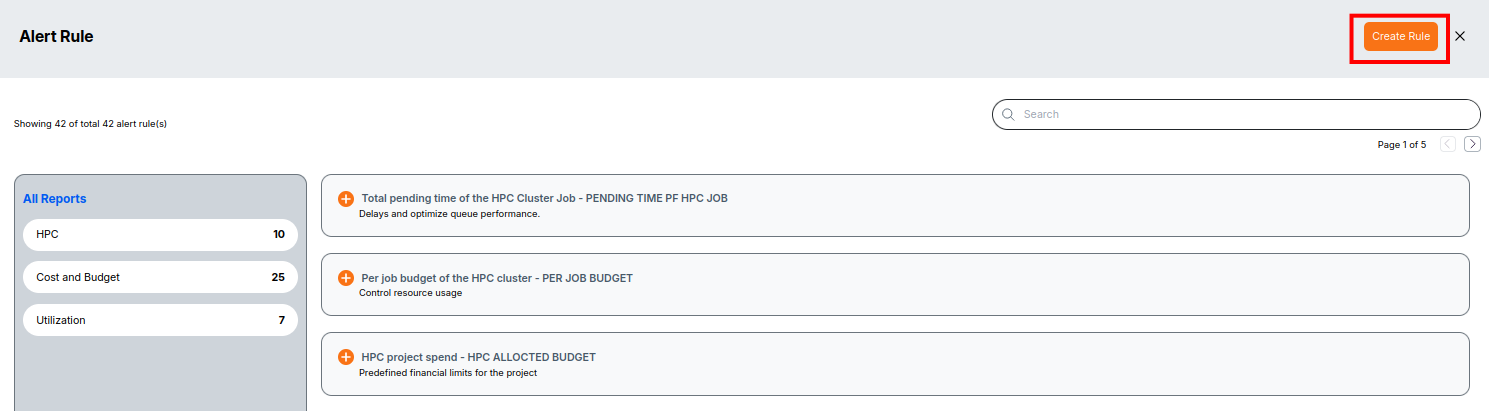
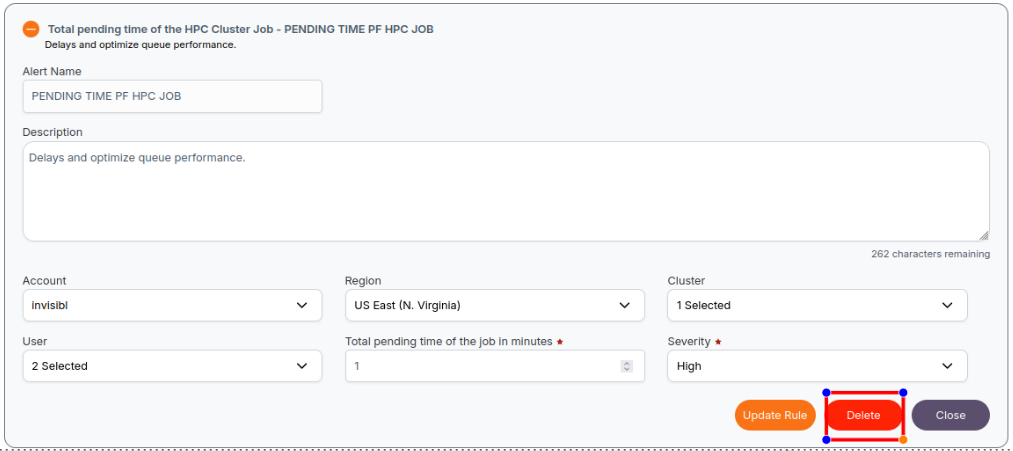
Step 2: Click the Delete Icon
Locate the rule you want to delete.
Click the Delete icon/button (usually a trash can) in the Actions column of the rule.
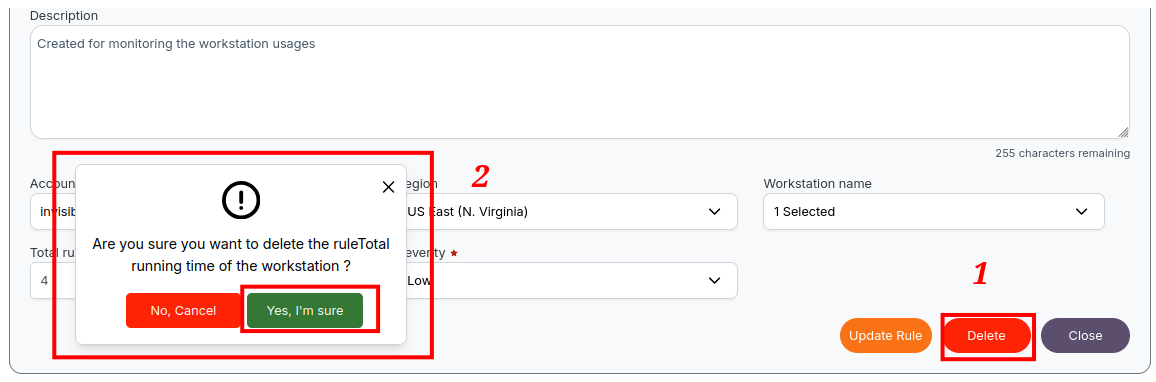
Step 3: Confirm Deletion
A confirmation modal will appear.
Click Yes, I'm sure to proceed with the deletion.
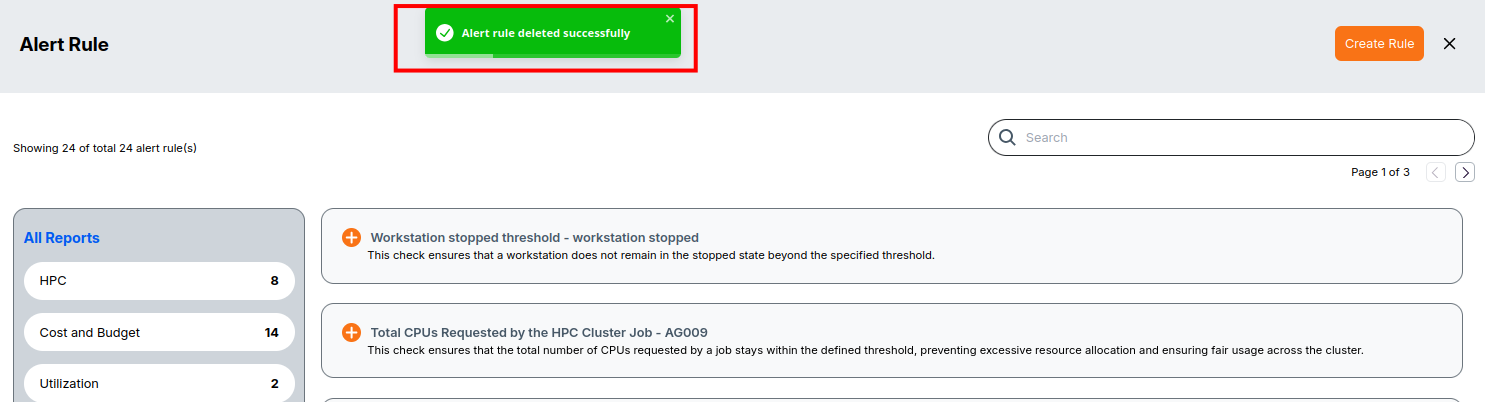
Step 4: View Deletion Success Message
Once the rule is successfully deleted, a toast or notification will appear confirming the action. Deleted rule will be removed from the rule list.
📌 Warning Deleting an alert rule is permanent and cannot be undone. Only admins can delete alert rules.