Groups
Groups Tab
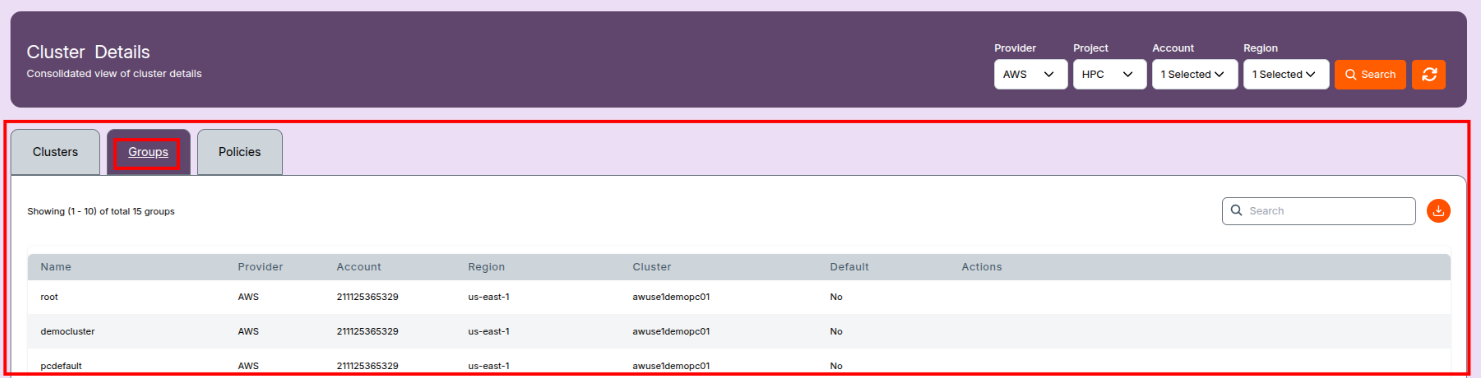
The Groups tab lists the Linux user groups associated with Slurm-managed clusters. These groups are crucial for managing user access, job submissions, and resource accounting within HPC environments.
Each group corresponds to a Linux system group that is tied to Slurm user accounts and linked to specific clusters.
Filters
At the top, use filters to refine the group list:
- Provider: Cloud provider (e.g., AWS)
- Project: Associated project (if applicable)
- Account: Cloud account ID used for the cluster
- Region: Cluster deployment region
- Search: Click to filter results based on selections
- Refresh: Reload the current view and group data

Group Table Columns
| Column | Description |
|---|---|
| Name | Name of the Linux user group (e.g., root, pcdefault) |
| Provider | Cloud provider under which the group operates |
| Account | Cloud account ID (e.g., 123456789876) |
| Region | Region where the linked cluster resides |
| Cluster | Slurm cluster that this group is associated with |
| Default | Indicates whether this group is set as default (Yes or No) |
| Actions | UI operations like edit, delete, or manage group users |
Functional Overview
- Each group corresponds to a Linux group created on the compute and head nodes.
- Users are added to these groups to inherit permission and access configurations.
- In Slurm, these groups can be tied to:
- Slurm accounts
- Fair-share policies
- Job submission permissions
- Group membership helps in controlling who can submit jobs, what resources can be used, and how usage is tracked.
Additional Features
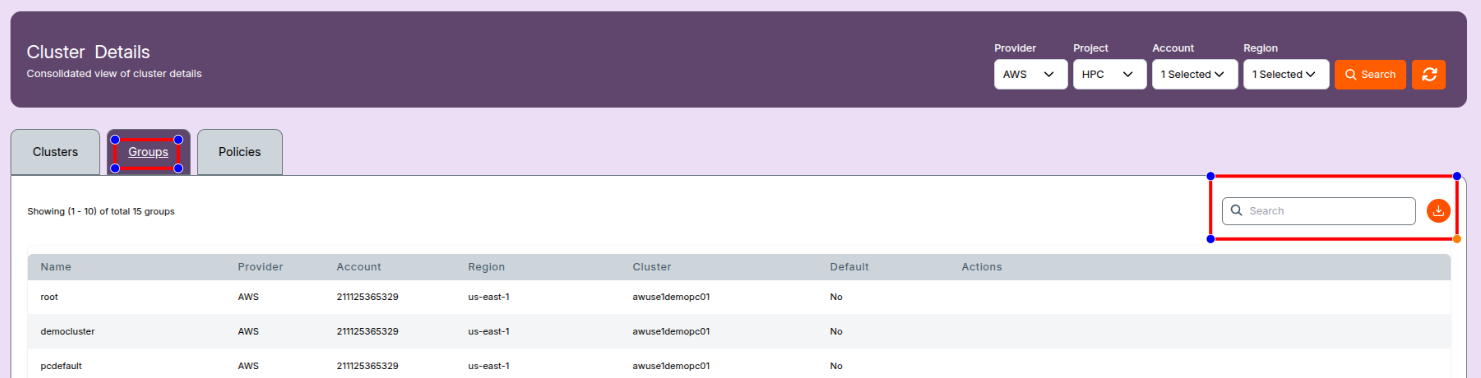
- Search Bar: Quickly search for group names
- Download Button: Export group data for record-keeping or auditing
📝 Note:
- These groups directly map to Linux system groups used within Slurm clusters.
- Proper group-user mapping is essential for correct job accounting, permissions, and policy enforcement.
- Slurm commands like
sacctmgr,scontrol, and system-levelgroupadd/usermodare typically used to manage these behind the scenes. - Users cannot edit or modify policies and groups. These are view-only. To request changes, please contact the system administrator.
- If you encounter any UI issues or have questions about job submissions or status, please contact the Admin for support.