Lifecycle Settings
Schedule Configuration
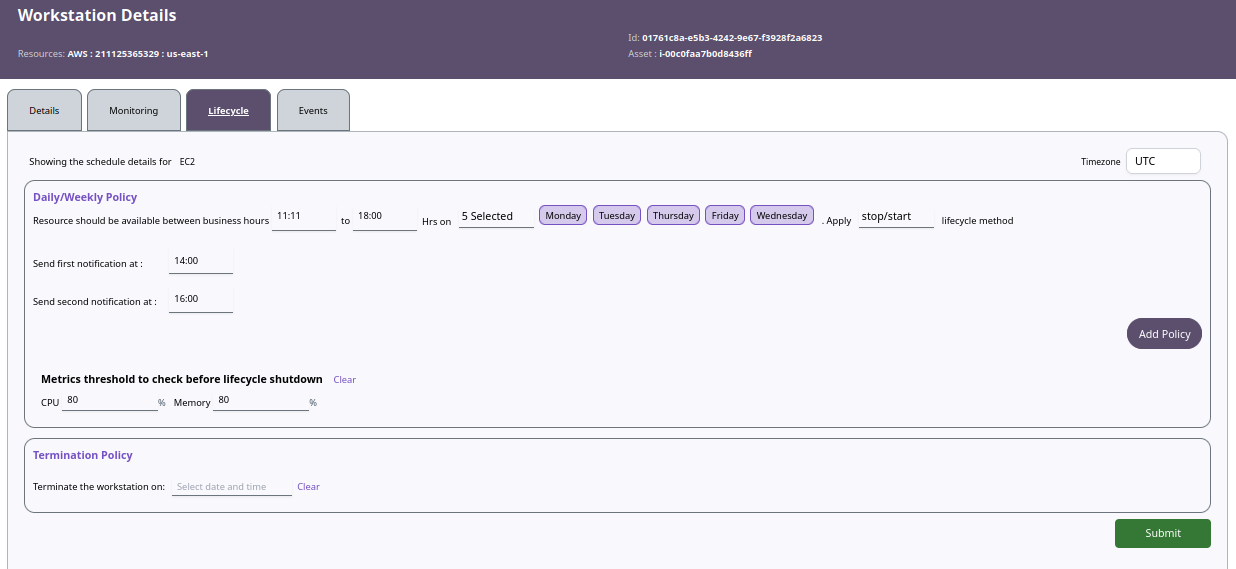
You can define the schedule to automatically start and stop the workstation:
- Daily/Weekly Schedules
- Define business hours with start and end times (hh:mm) for selected days.
- Monthly Schedules
- Set start/stop times for specific days of the month.
Expiration Settings
- You can set an Expiration Date for the workstation.
- The workstation will be automatically terminated after the specified time.
Disable Lifecycle (Manual Control)
- Navigate to the workstation’s Details page.
- Under the Lifecycle section, choose to Disable Lifecycle scheduling if manual control is preferred.
📌 General Notes:
- If you encounter any UI issues or have questions about job submissions or status, please contact the Admin for support.