Chargeback
The Chargeback and Invoices tabs work together to manage and track the automated cost recovery process within the system.
All chargeback amounts and invoices are calculated and displayed in USD.
Chargeback
The Chargeback tab allows administrators to define how costs are calculated and how invoices are scheduled for generation and delivery.
Settings
Chargeback based on
This option defines the basis for chargeback calculation.
You can choose one of the following methods:
- Cost Only – The system calculates chargeback strictly based on actual infrastructure or service costs, without adding any profit margin.
Use this when departments are billed only for their usage cost. - Cost + Margin – The system calculates chargeback by adding an additional percentage (margin) to the base cost.
Use this when the organization wants to include an operational or profit margin.
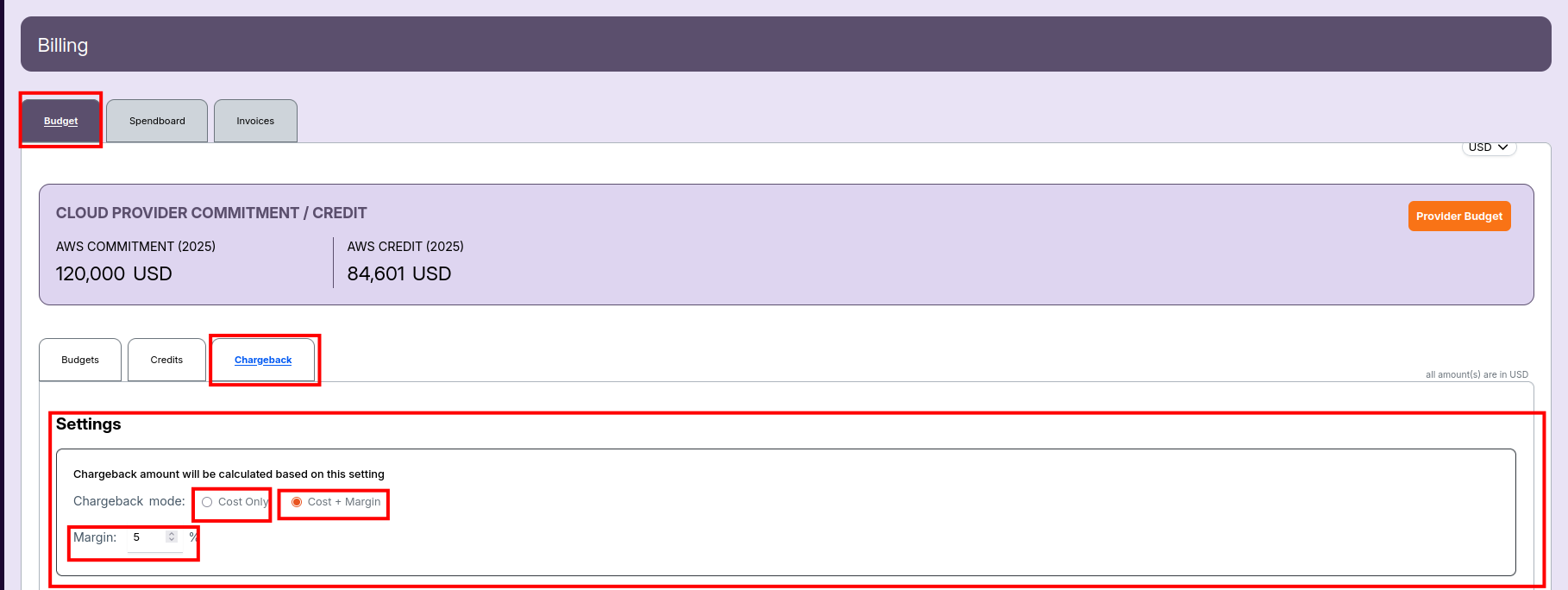
Margin to calculate the cost
This field allows you to specify the percentage of margin that should be added to the cost if Cost + Margin is selected.
For example, entering 10% means the chargeback amount will be Cost + 10% Margin.
Chargeback schedule
This setting defines the specific day of the month when chargeback reports and invoices are automatically generated.
Example:
If the schedule is set to 1st to 5th of every month, invoices will be created and sent between those days.
Once configured, the system automatically: - Generates the chargeback report. - Creates the corresponding invoice. - Sends the invoice to the assigned department manager.
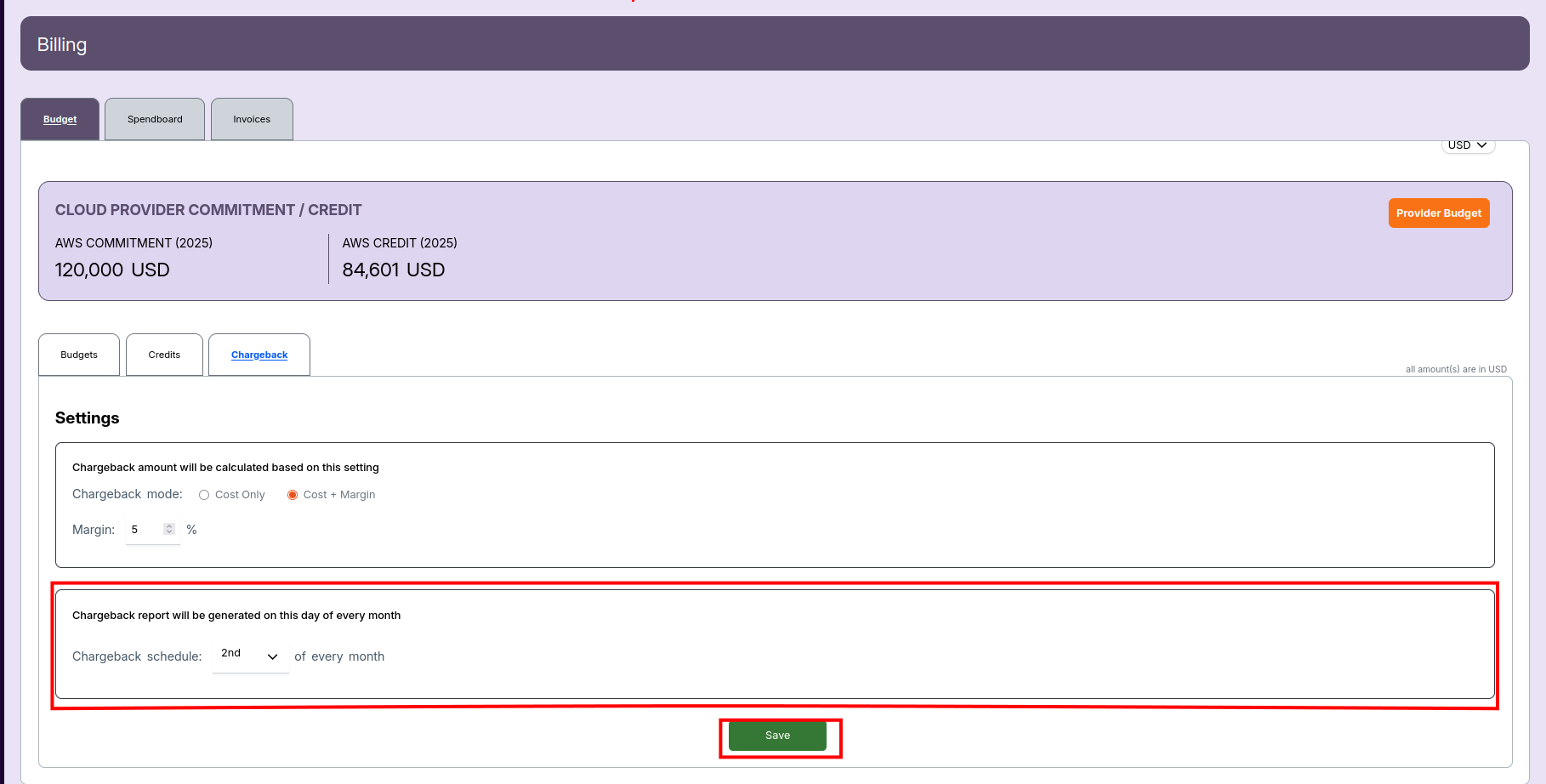
- Always check that your Chargeback schedule is configured properly — invoice generation depends on it.
- Use the currency selector (top-right) to switch from USD if needed.
- Use internal links between pages to help users jump to related topics (as shown above).