Users View
🧑💻 User Overview (Type = User)
When the dashboard filter Type = User is selected, admins can view metrics and details for individual users within the HPC environment.
User Details Popup
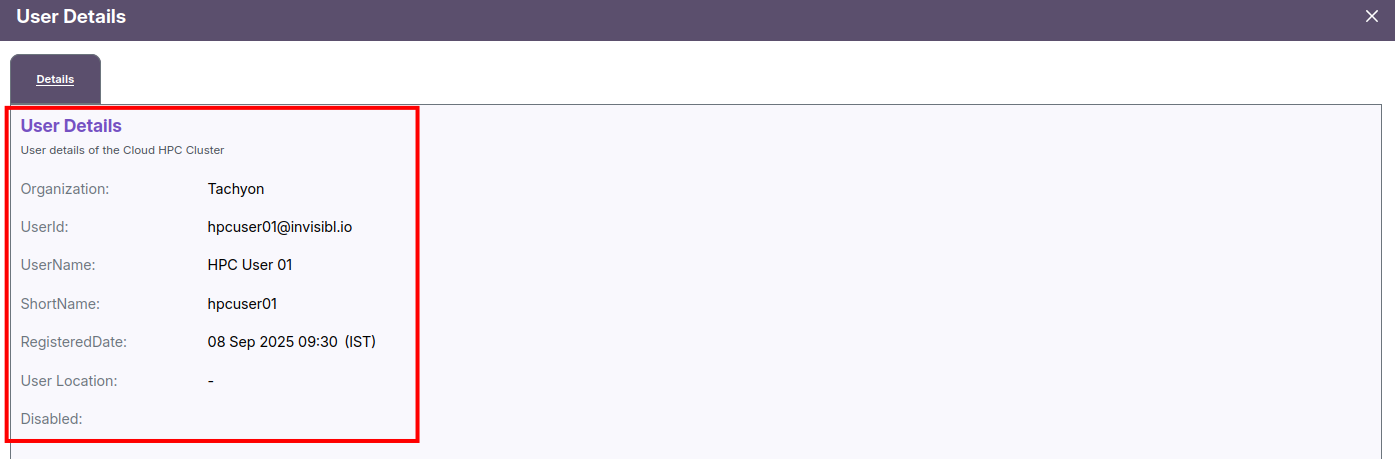
Clicking View Details for a specific user opens a detailed popup showing:
- Organization: Tachyon
- User ID: hpcuser05@invisibl.io
- User Name: HPC User 05
- Short Name: hpcuser05
- Registered Date: 06-Aug-2025 23:05 (IST)
Additional sections display charts and summaries for:
- Job success and failure rates
- CPU and memory usage trends
- Cost, duration, and compute utilization
- Daily resource tables with granular data
📈 Users Dashboard Metrics
Users Metrics view open when click on expand view near detail button. it will provide the entire resouse used under Users like jobs, workstation, resources usages and so on.
🧾 Recent Jobs
Displays job IDs, names, users, and completion states (Completed, Failed, Cancelled).

💻 Workstation Status
Lists all workstations with current state, usage hours, and cost breakdown.

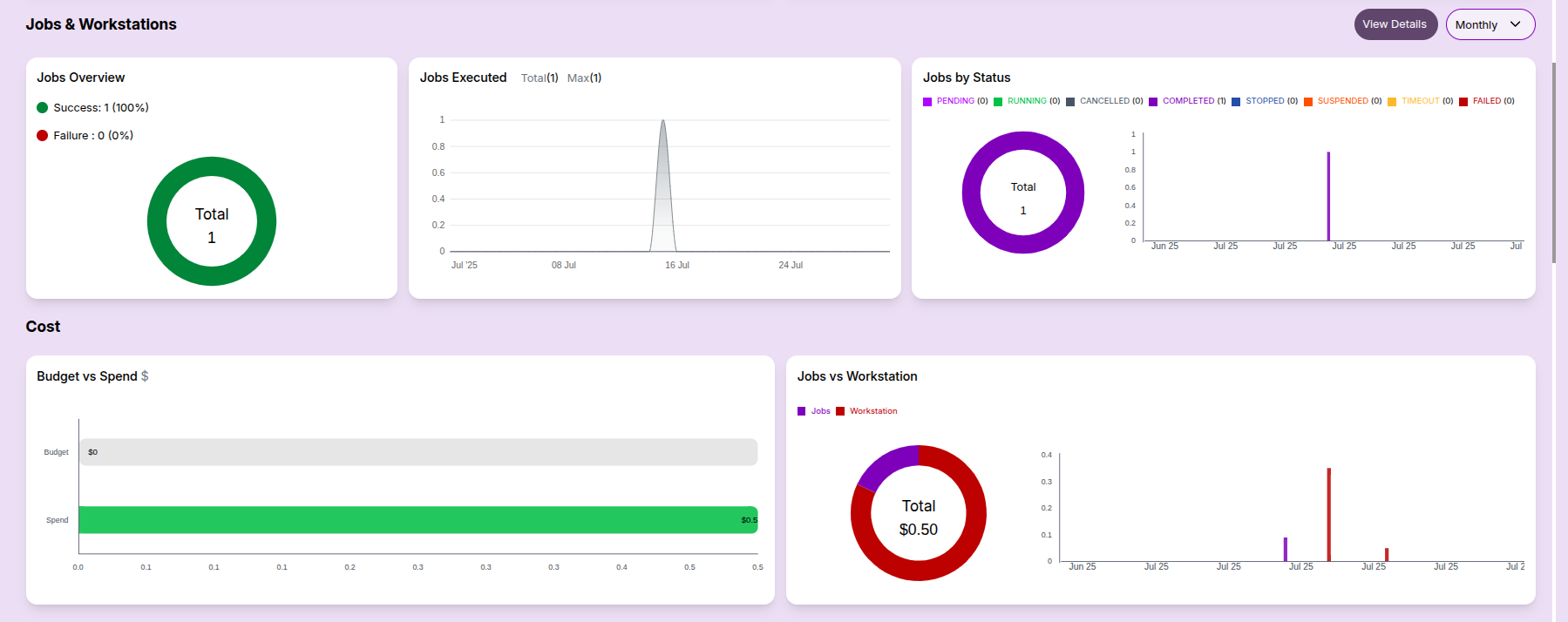
Jobs & Workstations Summary:
- Job status overview (success/failure)
- Execution trends and status distribution

Cost Overview:
- Budget vs Spend: This bar chart compares the allocated budget with the actual spend.
- Cost Breakup: Distribution of spend across jobs, workstations, and services.
Resource Metrics:
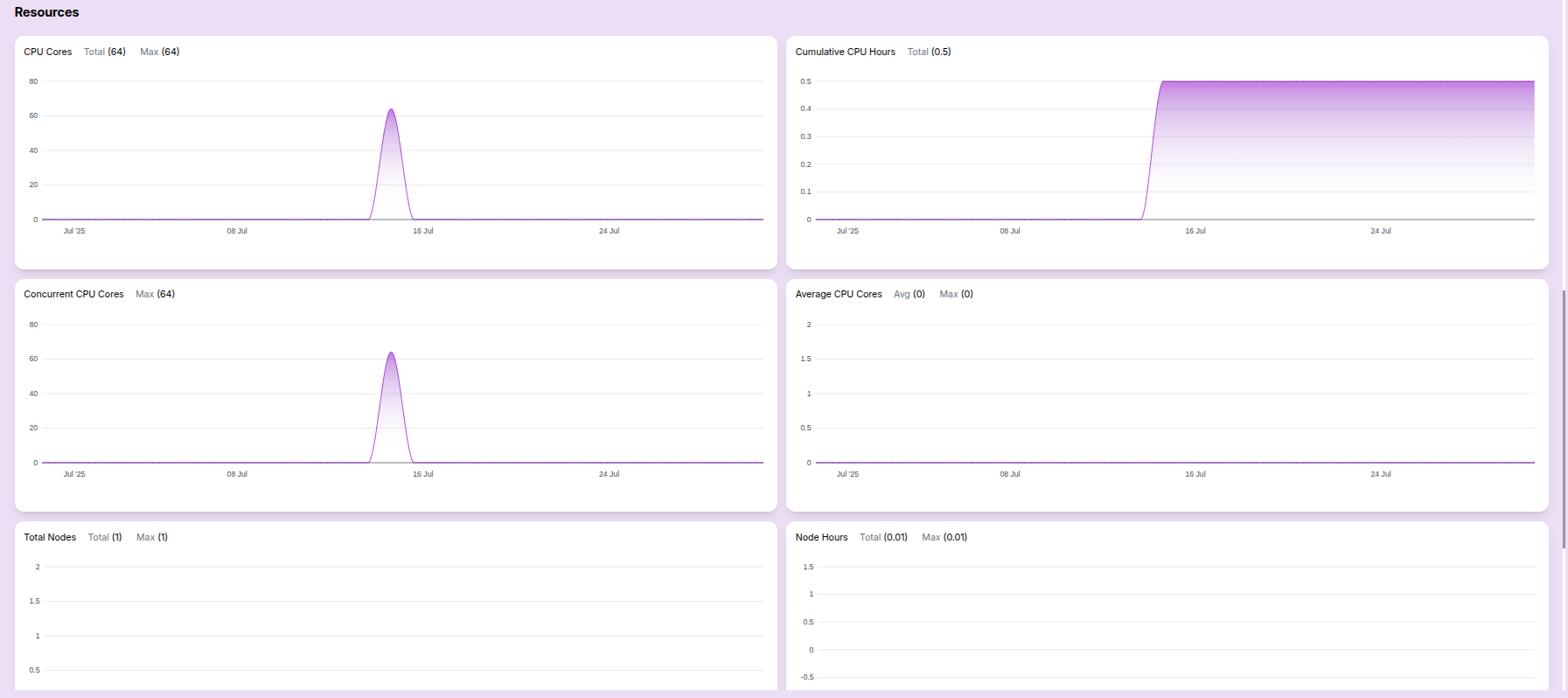
- CPU cores usage: Helpful for tracking total capacity vs actual usage.
- Concurrent CPU cores: Useful for analyzing parallel job load.
- Cumulative CPU hours: Indicates total resource engagement.
- Average CPU usage: Shows average core usage over time.
- Total Nodes: Indicates the number of nodes provisioned.
- Node Hours: Highlights node utilization efficiency.
These metrics help users analyze both performance and cost at a glance.
Computational Resource Report
This documentation provides a daily overview of job execution statistics, cost allocations, CPU metrics, and node utilization. It's designed to help teams monitor performance and optimize resource consumption.
Table View:
- Consolidated reports for the user are listed in this table, aggregated by monthly, daily, or weekly intervals.

This dashboard helps users monitor their resource consumption and job history across users in a visual format.
- Helps identify active users, job patterns, and cost distribution across time frames.