SpendBoard
The SpendBoard module provides a consolidated and graphical view of HPC spending across Clusters, Queues, Users, and Projects. It enables administrators to analyze detailed cost data, job sessions, and resource usage for budgeting and optimization.
Filters and Search
- Type: Select from Cluster, User, Queue, or Project.
- Duration: Choose the date range for which the spending data should be displayed.
- Click Search to generate the corresponding spend analysis view.

Cluster Spend Analysis (Type = Cluster)
Overview
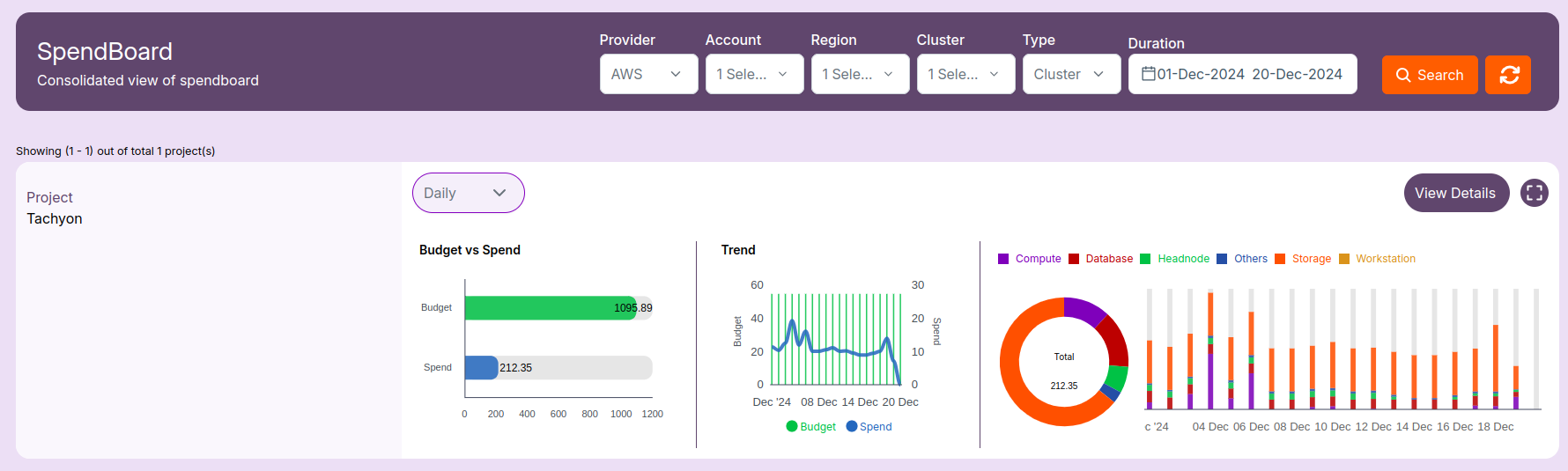
- Select Cluster from the Type filter.
- Choose the desired duration and click Search.
- Spend data is displayed as a graphical summary.
Details View
Click on Details to view complete cluster-level insights.
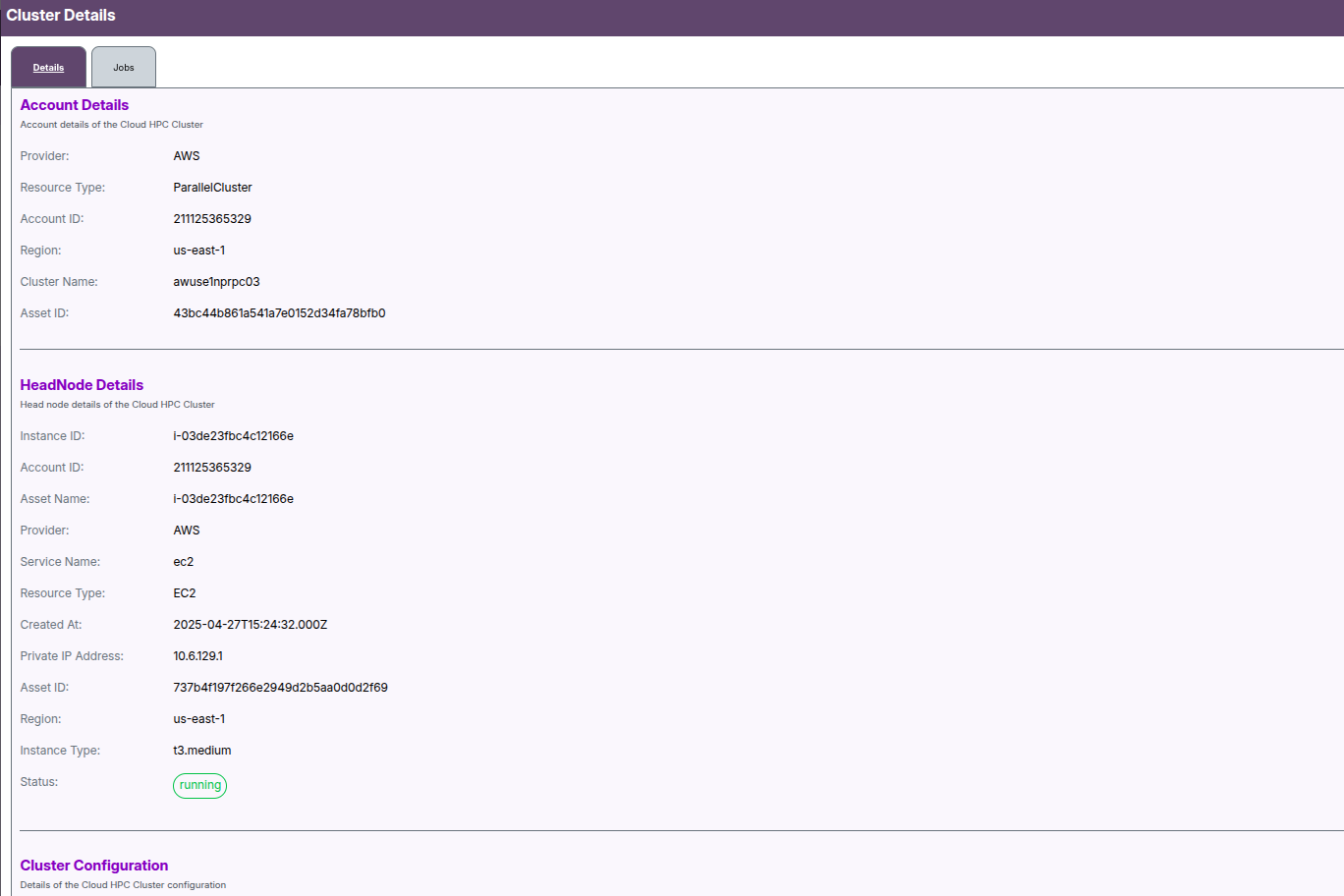
Cluster Details
- Provider, Region, Account ID, Cluster Name
Configuration Information
- Headnode Details
- Database and Queue Configuration
- Cluster Setup Information
Storage
- Storage type, usage, and capacity
Job Session
- View executed job cost summary
- Spend breakdown on:
- vCPUs
- Nodes
User Spend Analysis (Type = User)
Overview
- Select User from the Type dropdown
- Choose a user from the User dropdown
- Choose the duration and click Search
- A chart displays the user-specific HPC spend data
Details View
Click on Details for a complete user-level cost breakdown.
User Details
- User name
- User ID
Associated Cluster Details
- Provider, Account ID, Region, Cluster Name
Job Session
- Summary of job costs for that user
- Spend analysis on:
- vCPUs
- Nodes
Queue Spend Analysis (Type = Queue)
Overview
- Select Queue from the Type filter
- Choose the desired queue and duration
- Click Search to view spend analysis
Details View
Click on Details for an expanded breakdown.
Queue Details
- Provider, Resource Type, Account ID, Region, Cluster Name, Queue Name, Asset ID
Capacity Details
- Total CPUs and Memory (in GB)
Queue Configuration
- Subnet ID, Security Groups, Script Path, IAM Policies
- Root Volume details (type, size, encryption)
- S3 Access settings
- Compute resource configuration
- Tags and additional metadata
Job Session
- Job cost summary
- Spend by:
- vCPUs
- Nodes
Project Spend Analysis (Type = Project)
Overview
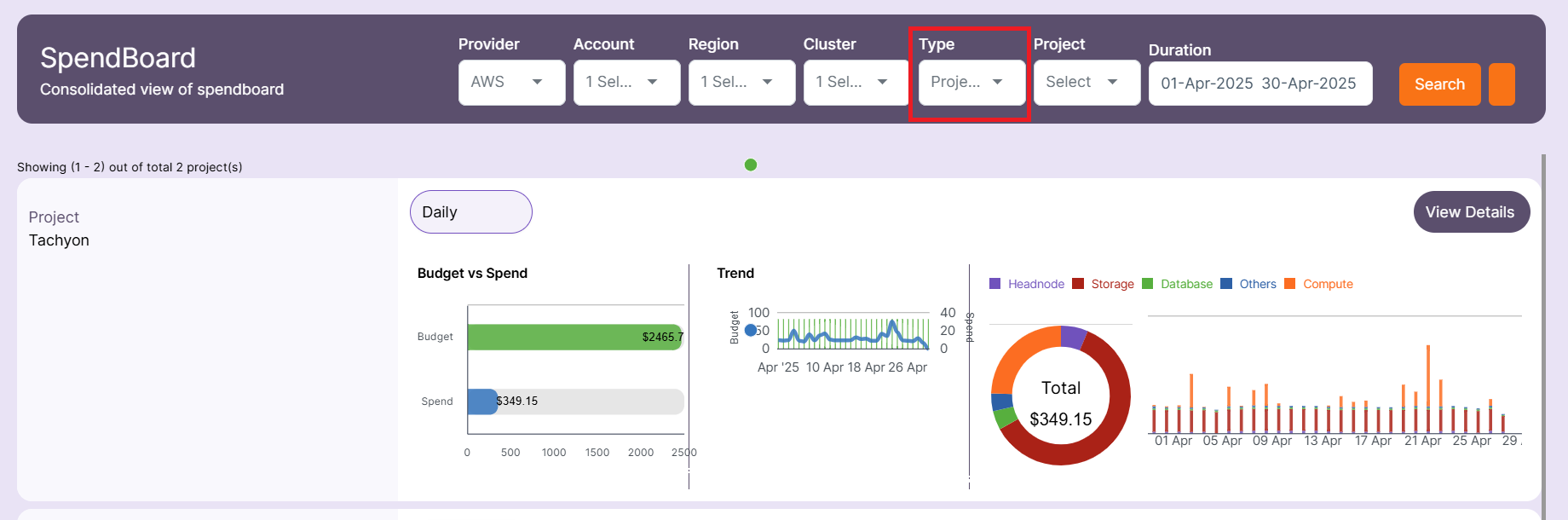
- Select Project from the Type filter
- Choose a project from the dropdown
- Select the date range and click Search
- Spending chart displays aggregated cost data
Details View
Click on Details to view project-level data
Project Details
- Project name and associated tags
Cluster Details
- Provider, Account ID, Region, Cluster Name
Job Session
- Displays costs associated with jobs under the selected project
- Spend data segmented by:
- vCPUs
- Nodes
-
📌 Note
- By using the SpendBoard module, administrators can track, compare, and manage HPC costs across multiple dimensions—enhancing budgeting, accountability, and resource planning.