Creating an Alert Rule
To create a new alert rule:
- Navigate to the Alert Rule List screen.
- Click on the Alert Rule button.
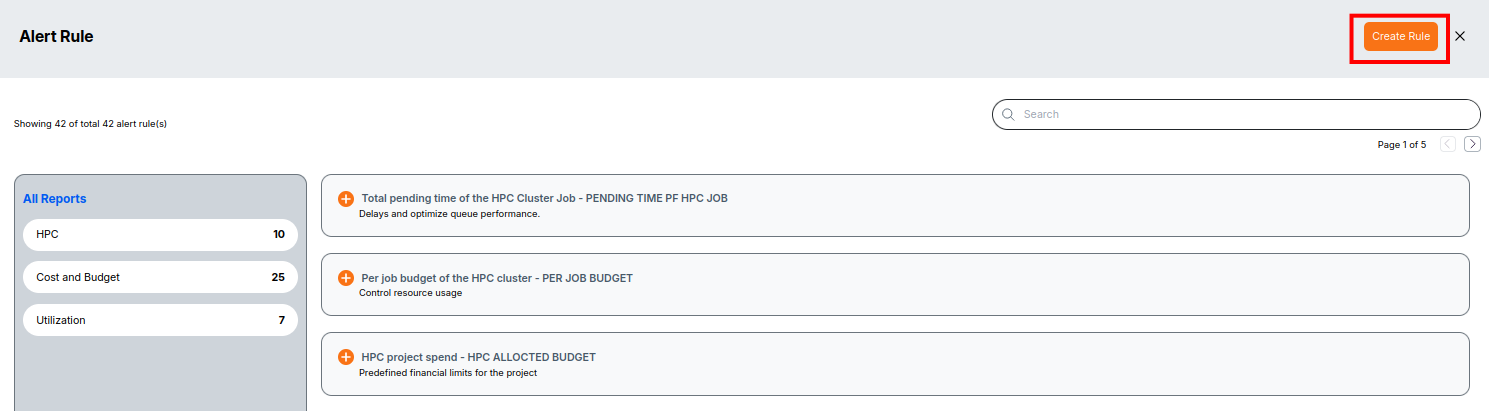
From the list of available rule types, choose one of the following:
- Check if a lifecycle policy exists for the workstation
- Total running time of the workstation
- Workstation spend
- Department spend
- HPC project spend
- HPC user spend
Example: Total running time of the workstation
This rule ensures that the total runtime of a workstation does not exceed the specified threshold.
Fill in the required fields:
- Alert Name – Provide a unique name for the rule.
- Description – (Optional) Add details about the purpose of the rule.
- Account – Select the account to monitor.
- Region – Choose the target region.
- Workstation Name – Select one or more workstations.
- Total running time of the workstation in hours – Enter the threshold value.
- Severity – Set the severity level (Low, Medium, High).
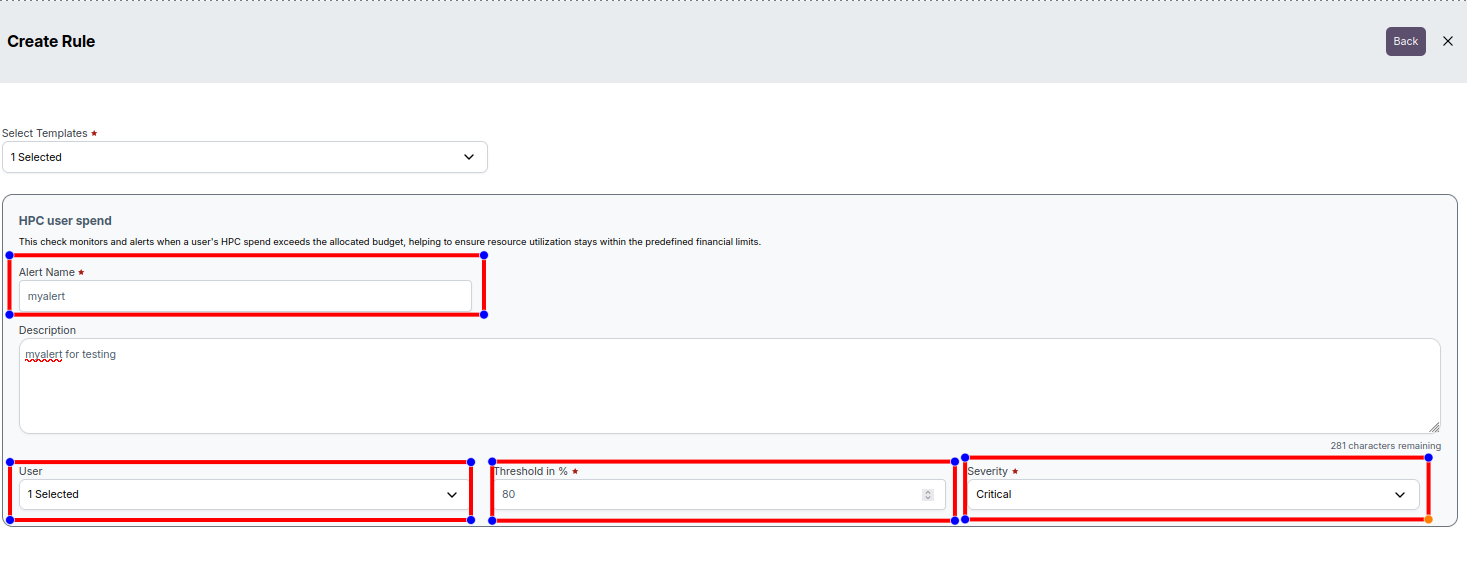
Click Save to create the rule, or Cancel to discard changes.
Managing Created Rules
- The newly created rule will be listed in the Alert Rule List screen.
- Administrators can modify existing rules if required.
📌 Note: Only Administrators can create and modify alert rules.