Start a Workstation
This section explains how to start an existing workstation that is currently in the Stopped state.
Step 1: Navigate to My Workstations
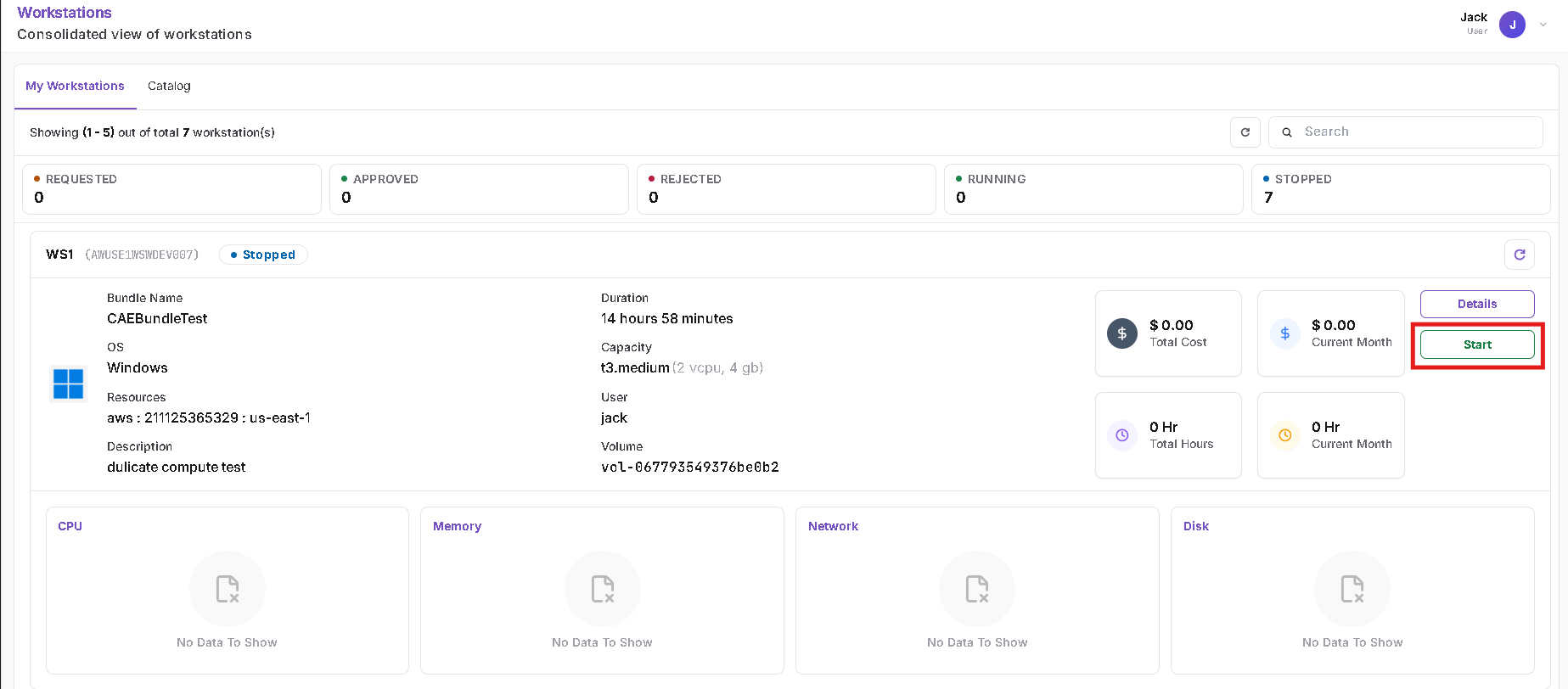
Navigate to Workstations > My Workstations.
Locate the workstation that is currently in the Stopped state.
Step 2: Start the Workstation
Click the Start action for the stopped workstation.
Step 3: Confirm the Start Action
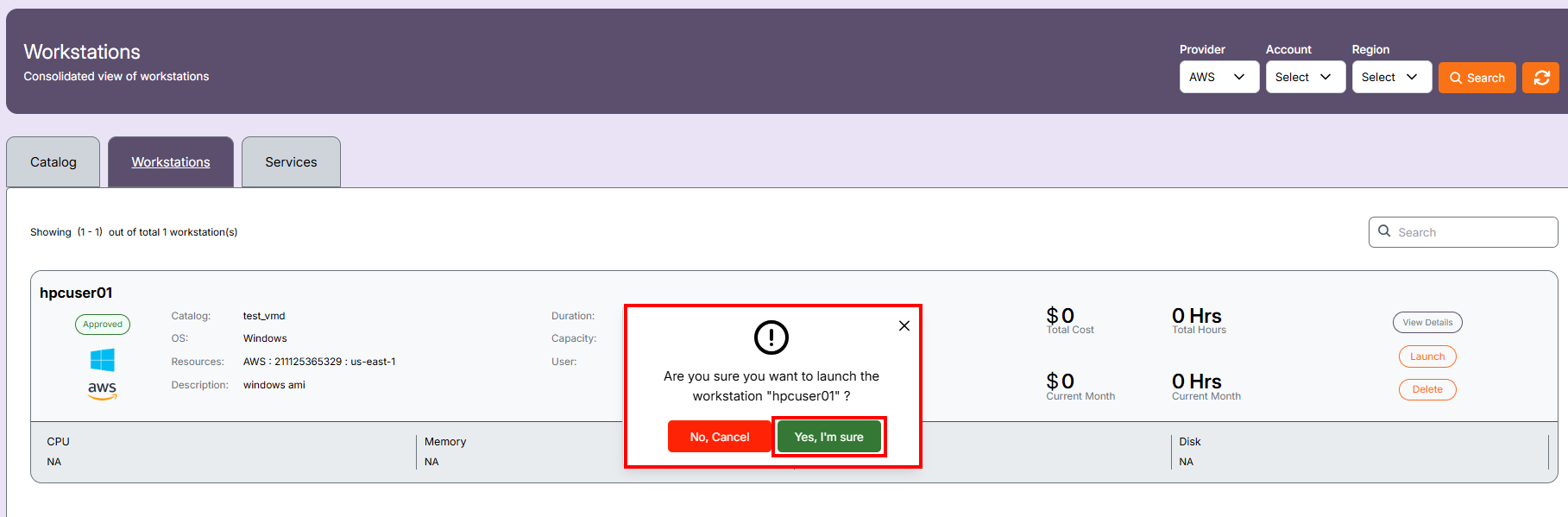
A confirmation dialog is displayed.
Confirm the action to start the workstation.
Step 4: Workstation Starting
The workstation enters the corresponding startup state while the instance is being powered on.

Step 5: Workstation Running
Once startup is complete, the workstation status changes to Running.

The workstation is now ready to connect.