Project Actions
The Project Action menu provides options for managing an existing project.
Navigate to:
HPC → Projects
Locate the required project and open the three-dot Action menu.
The available actions include:
- Manage Members
- View Members
- Edit
- Delete
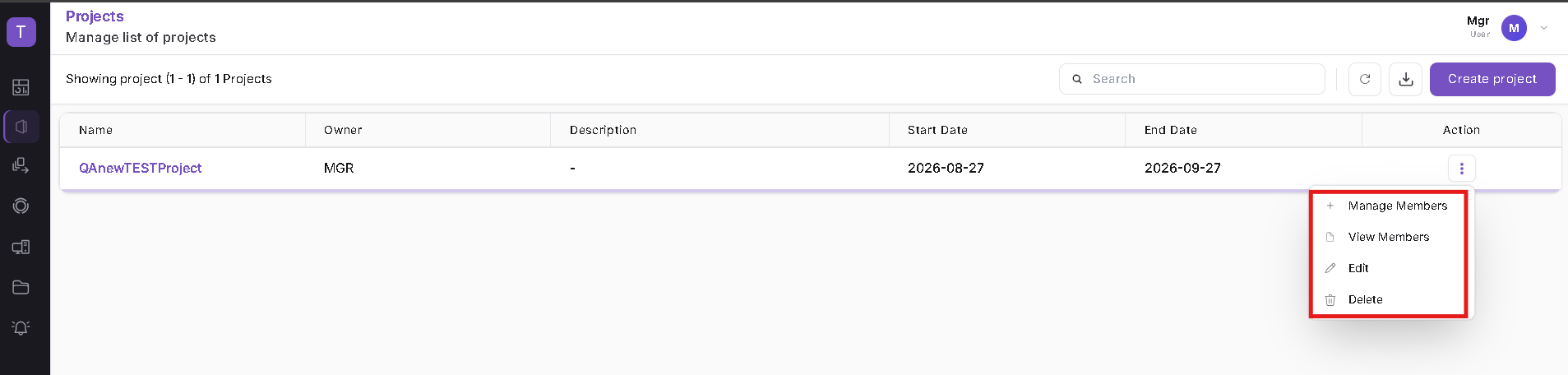
For instructions on adding or removing users, refer to Manage Project Members.
Edit a Project
Select:
Actions → Edit
The Edit project page displays the existing project configuration.
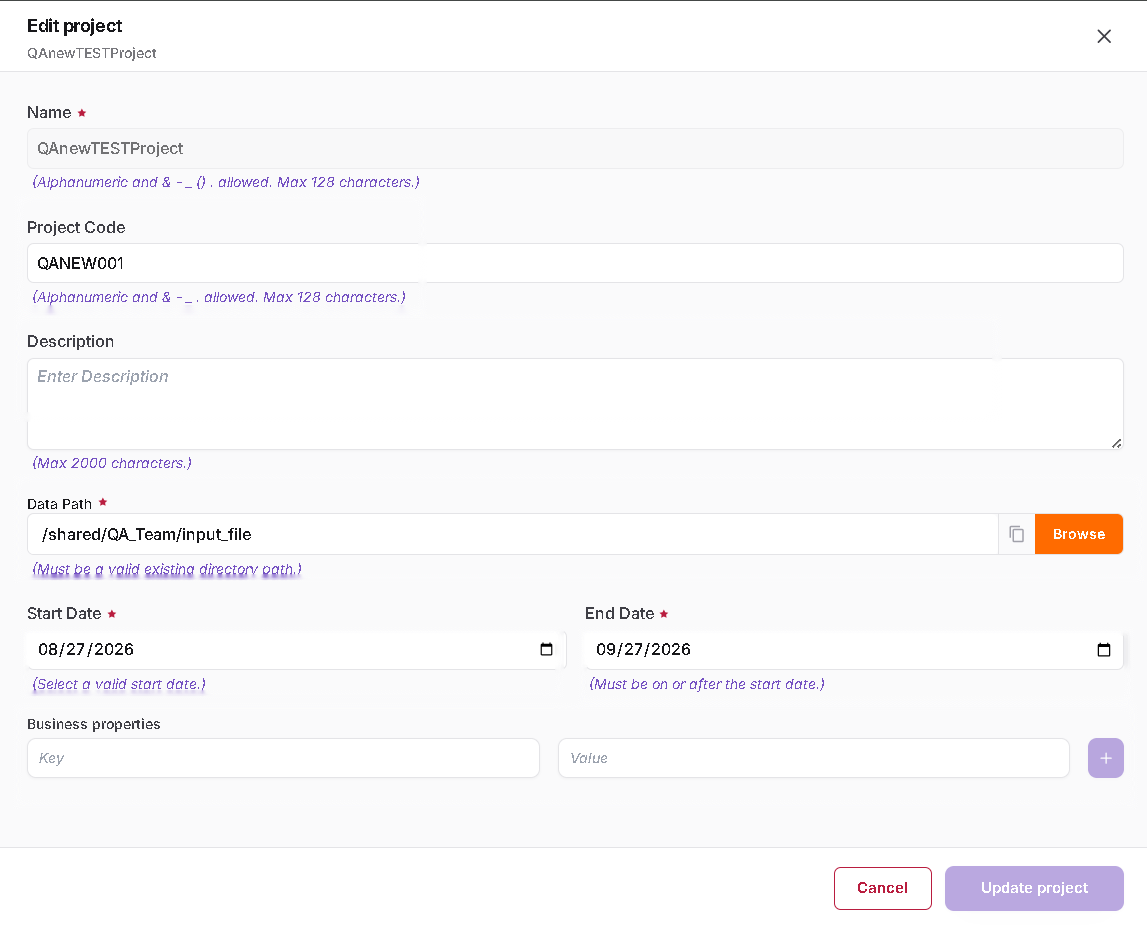
The following project information can be reviewed or updated:
- Name
- Project Code
- Description
- Data Path
- Start Date
- End Date
- Business properties
After making the required changes, click Update project.
Delete a Project
Select:
Actions → Delete
A confirmation dialog is displayed before the project is deleted.
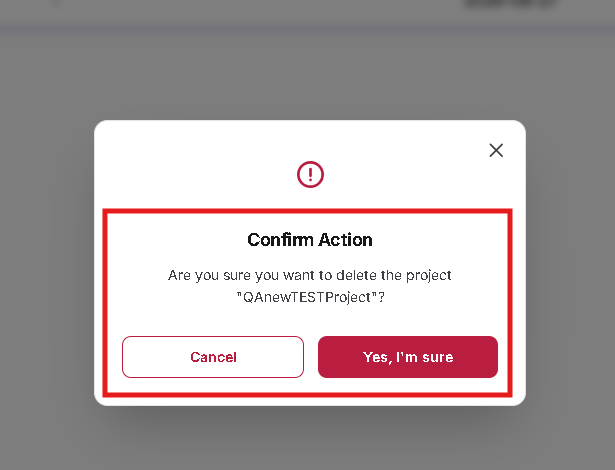
Review the project name displayed in the confirmation dialog.
Click:
- Yes, I'm sure – to confirm deletion.
- Cancel – to retain the project.
Important: Verify that the correct project is selected before confirming deletion.
Project Availability During Job Submission
Engineer users do not have direct access to the Projects module.
Projects assigned to an Engineer become available during supported workload operations.
Navigate to:
Jobs → Create Job
During job creation, the assigned project is displayed in the mandatory Project field.
The project is displayed using the project name and project code.
Example:
QAnewTESTProject (QANEW001)
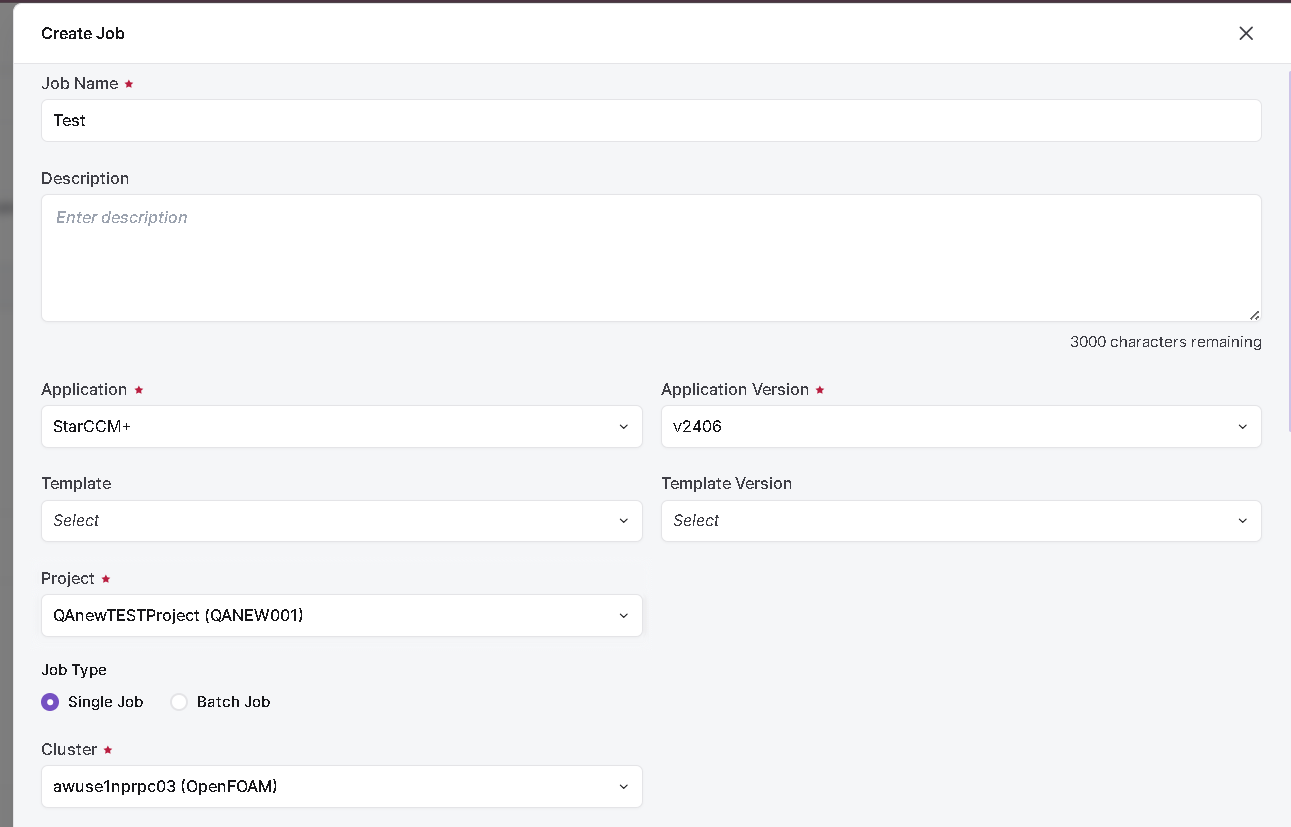
Only projects available to the logged-in user can be selected.
Project Availability During Workstation Subscription
Project membership is also reflected during Workstation Subscription.
Navigate to:
Workstations → Subscribe Workstation
Open the Project dropdown.
Projects available to the logged-in user are displayed for selection.
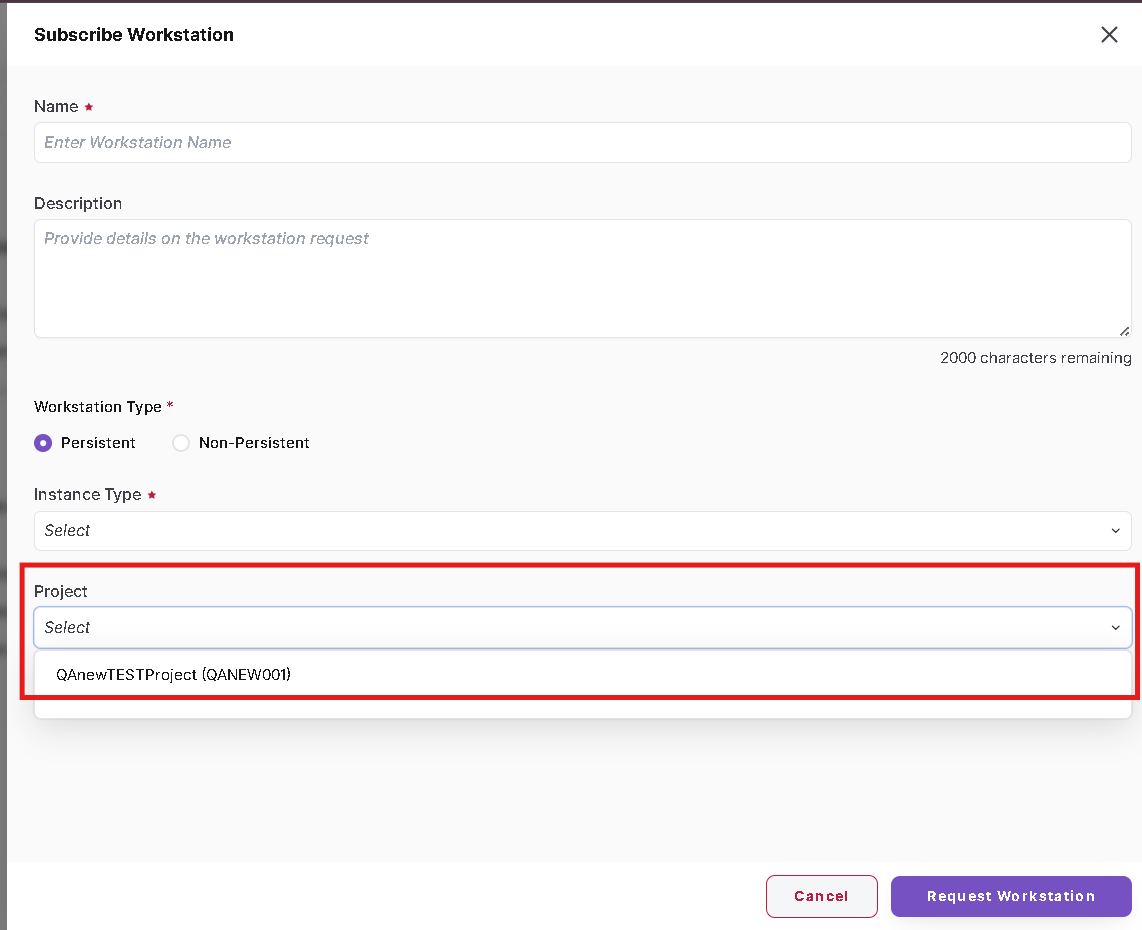
This allows workstation usage to be associated with the appropriate project.
Effect of Membership Changes
When a user is added to a project and the changes are saved, the project becomes available to that user during supported workload flows.
When the user is removed from the project and the changes are saved, the project is no longer available to that user.
Adding the user back to the project restores project availability.
- Edit can be used to update supported project configuration.
- Delete permanently removes the selected project after confirmation.
- Project membership controls project visibility in supported workload flows.
- Project is mandatory during Job Submission.
- Projects can also be selected during Workstation Subscription.