License Management
The License Management module is used by administrators to configure license servers and map license features to supported applications. It contains two tabs: License Manager and License Model.
License Manager
Navigate to Admin → License Management → License Manager. The list shows the configured license managers, including Name, Description, Host, Port, and Last Modified At.

Add a License Manager
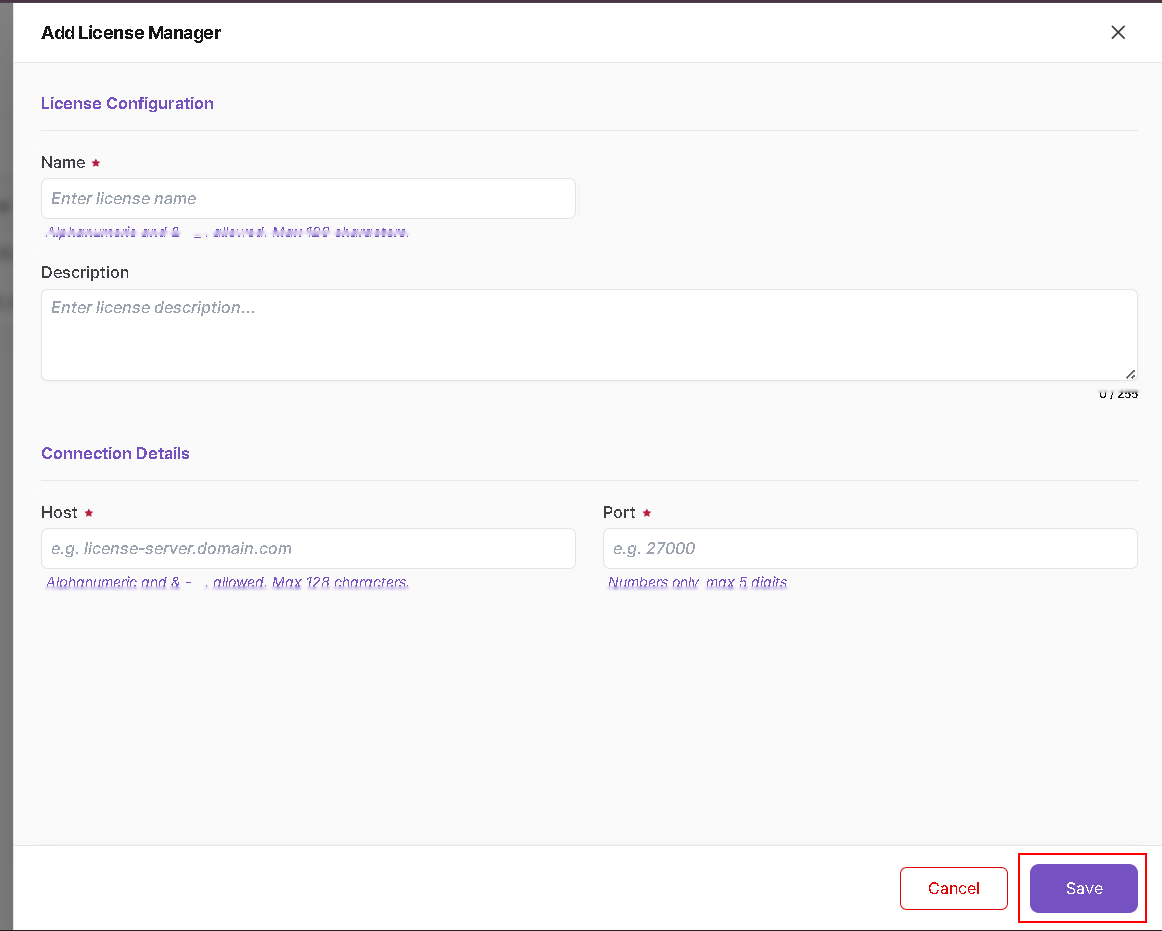
- Click Add License Manager.
- Enter a Name and optional Description.
- Enter the license server Host.
- Enter the Port and click Save.
The current UI accepts numbers only for Port, with a maximum of 5 digits.
Update a License Manager
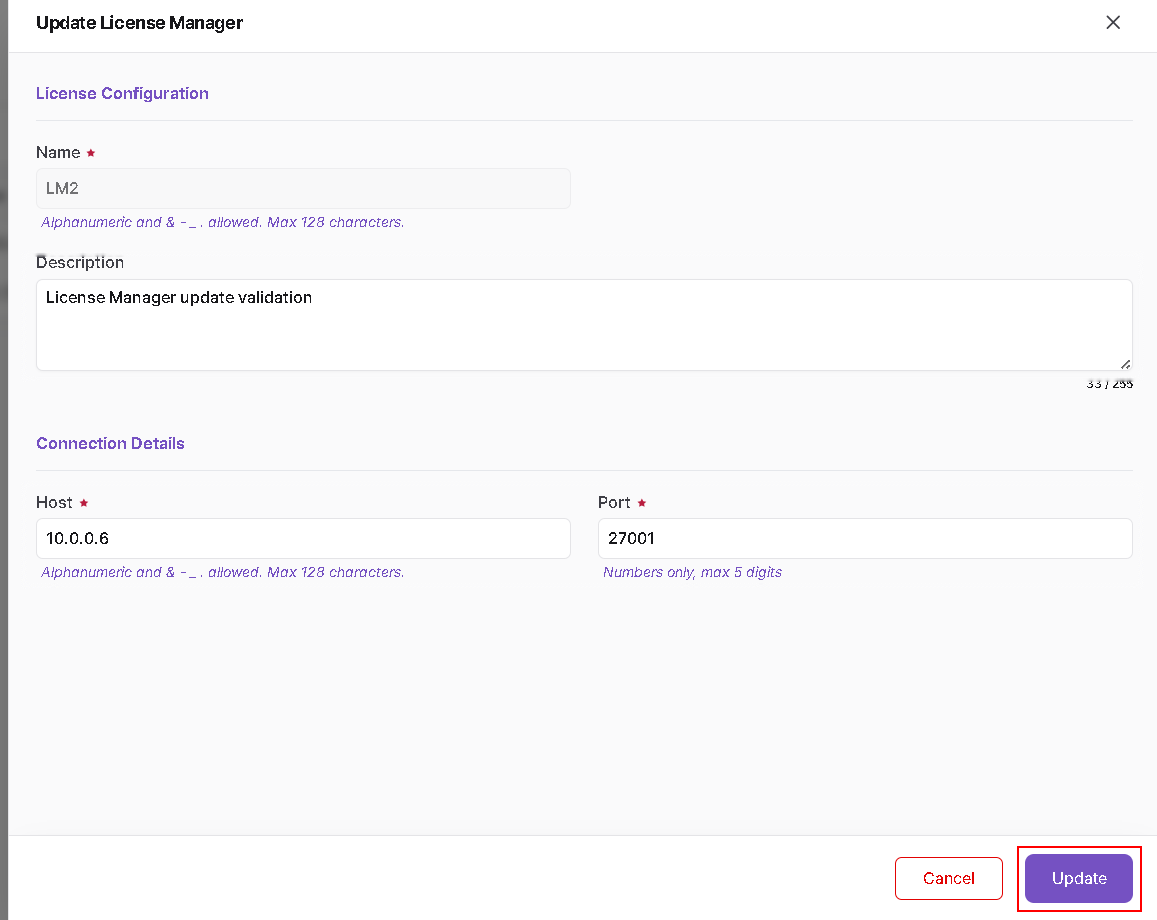
Open the Action menu for the required license manager and choose the edit/update option. Modify the configuration or connection details and click Update.
License Model
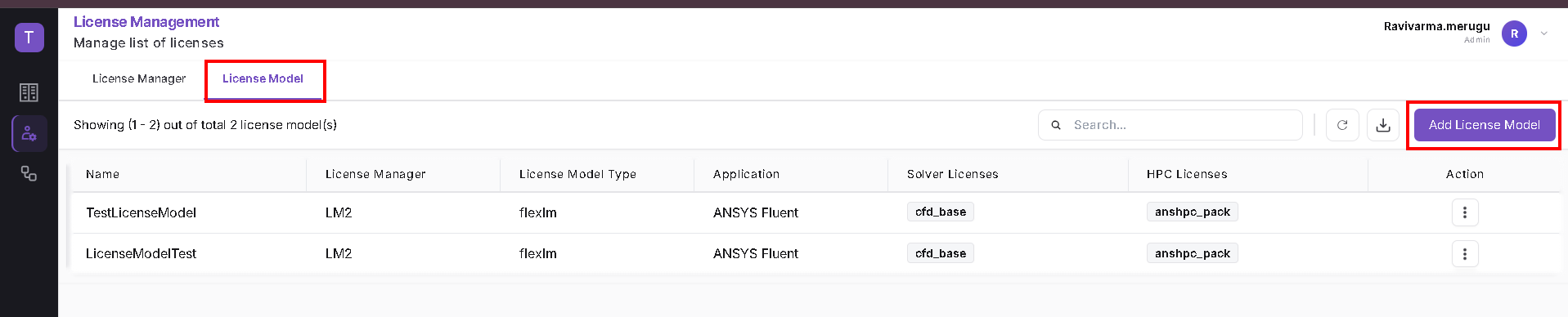
Select the License Model tab to view application-to-license mappings. The list displays Name, License Manager, License Model Type, Application, Solver Licenses, and HPC Licenses.
Add a License Model
- Click Add License Model.
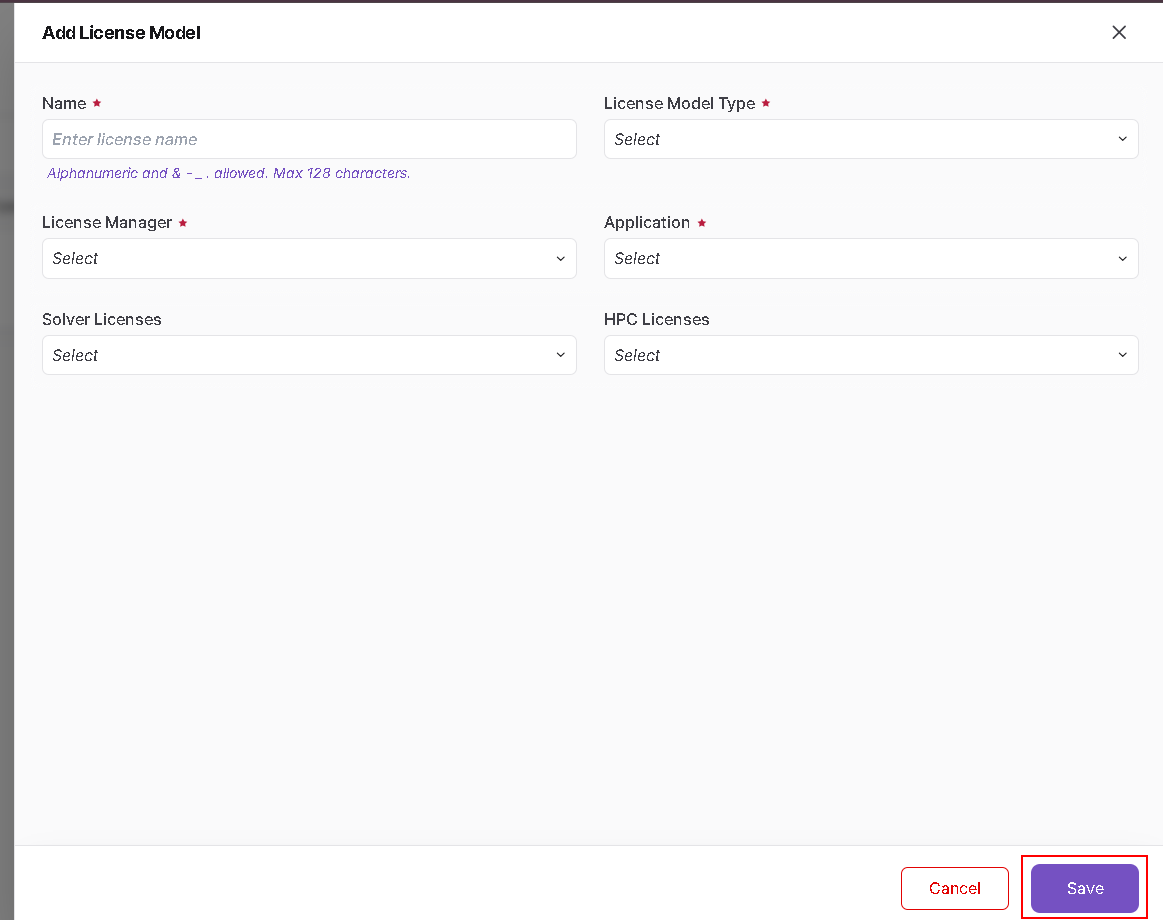
- Enter the model Name.
- Select the License Model Type.
- Select the configured License Manager.
- Select the Application.
- Select the required Solver Licenses and HPC Licenses.
- Click Save.
!!! note The Licenses Dashboard is a separate module in the Administrator Guide. License Management is the configuration area under Admin.