Shell Access
Shell Access provides a terminal within File Manager for command-line file operations.
An administrator controls access for your user account and the applicable cluster through Settings.
Before You Begin
- Your administrator must enable Shell Access for your account.
- The cluster you select must be included in the administrator's Shell Access configuration.
- Have the password for your shell account available.
If access has not been enabled, contact your administrator.
Open the Console
- Open File Manager.
- Select the required Provider, Account, Region, and Cluster.
- Open the Console menu in the upper-right corner.
- Select Start Shell.
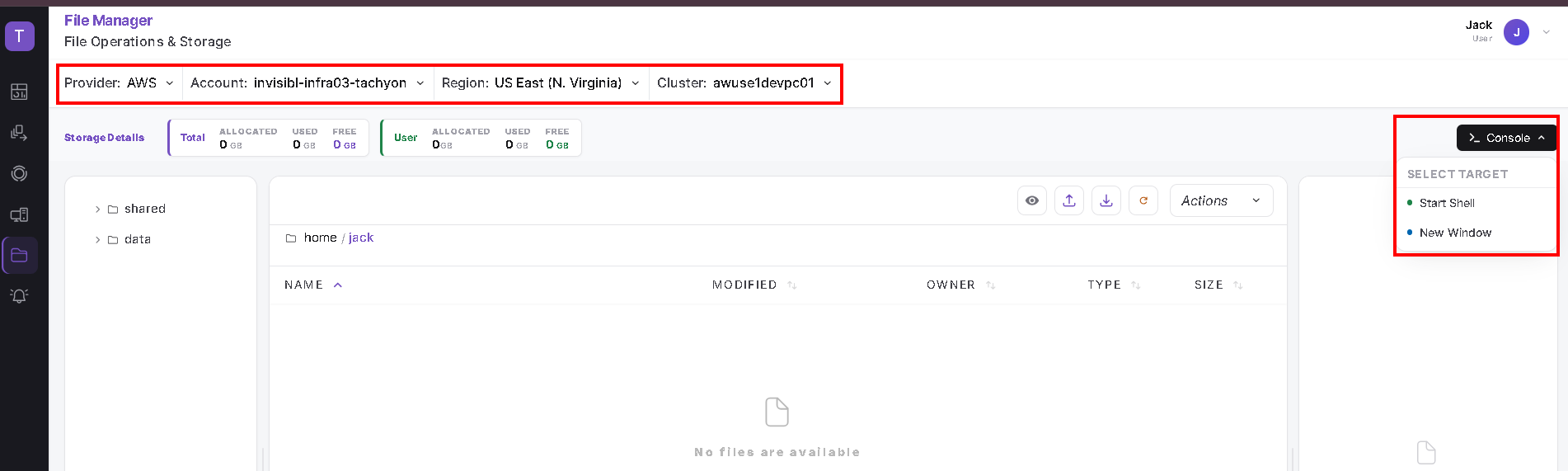
The Console menu also includes a New Window option.
Authenticate
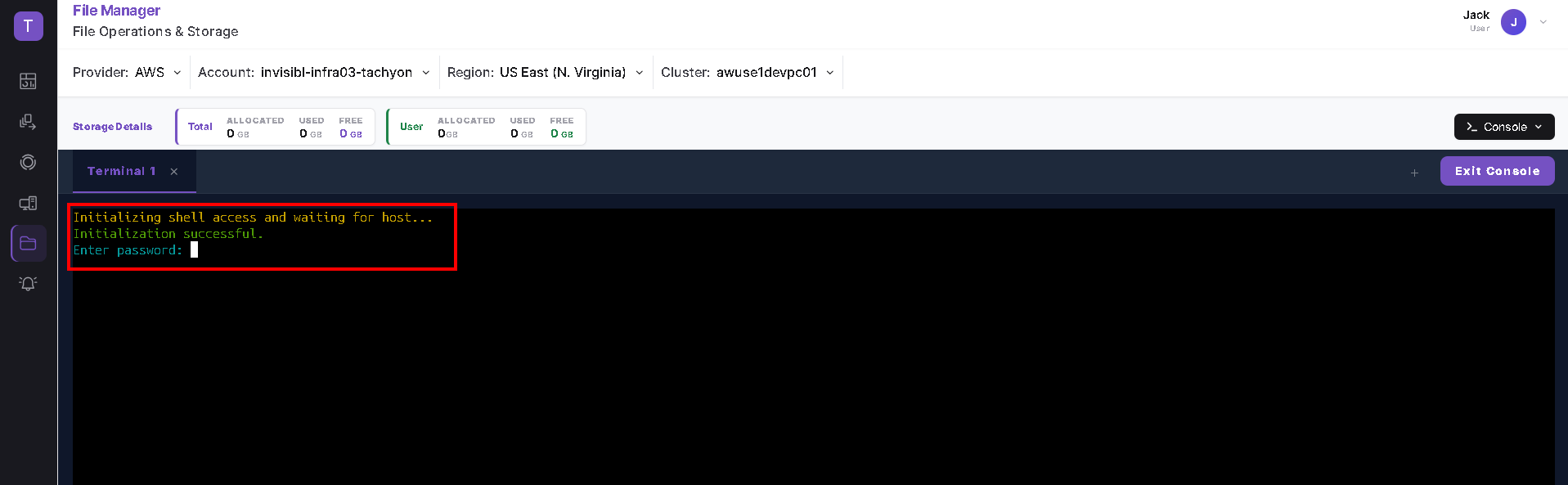
The terminal opens in a tab such as Terminal 1.
- Wait while the terminal displays: Initializing shell access and waiting for host...
- After initialization succeeds, the terminal displays Enter password:.
- Enter your shell account password and press Enter.
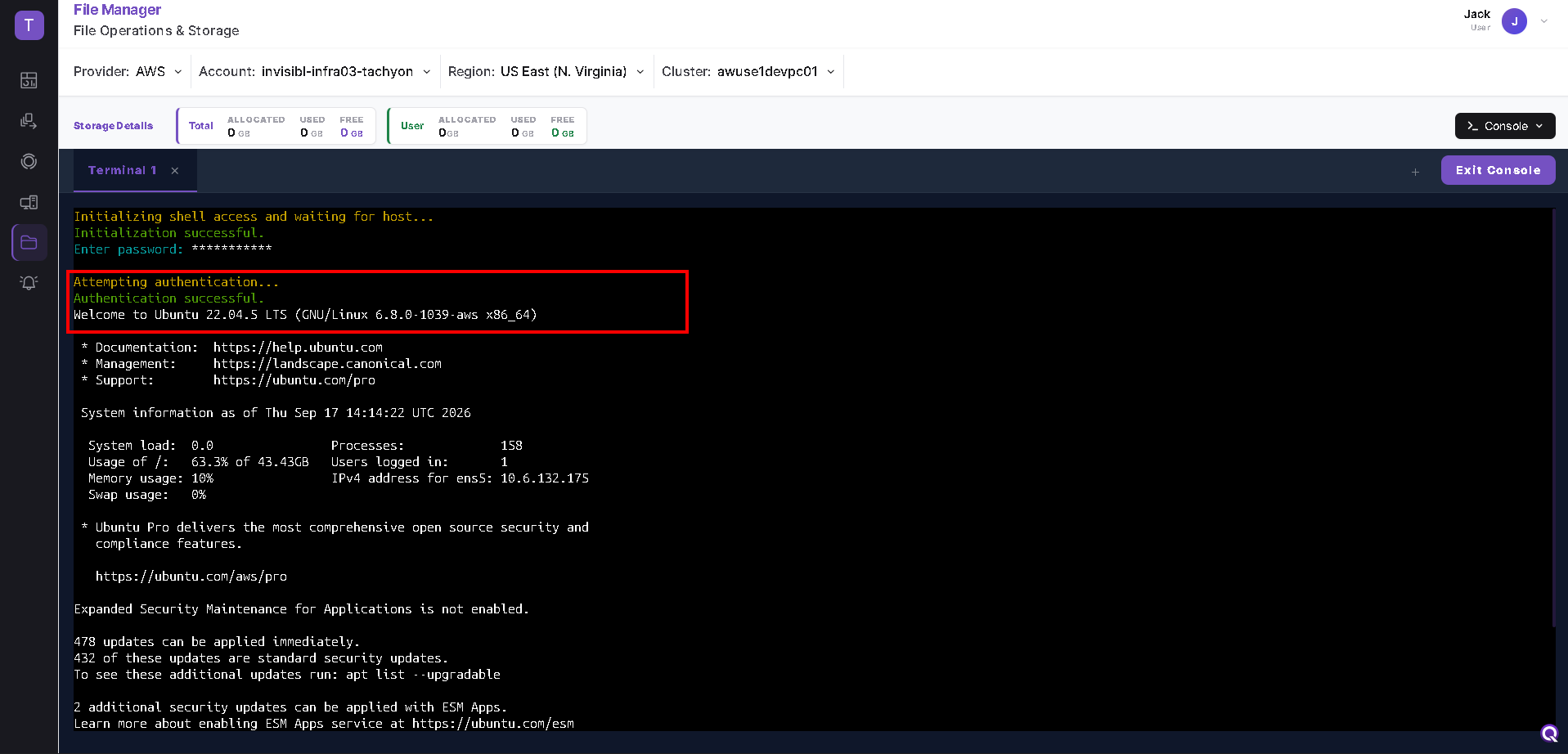
After successful authentication, the terminal displays Authentication successful and the host's welcome information.
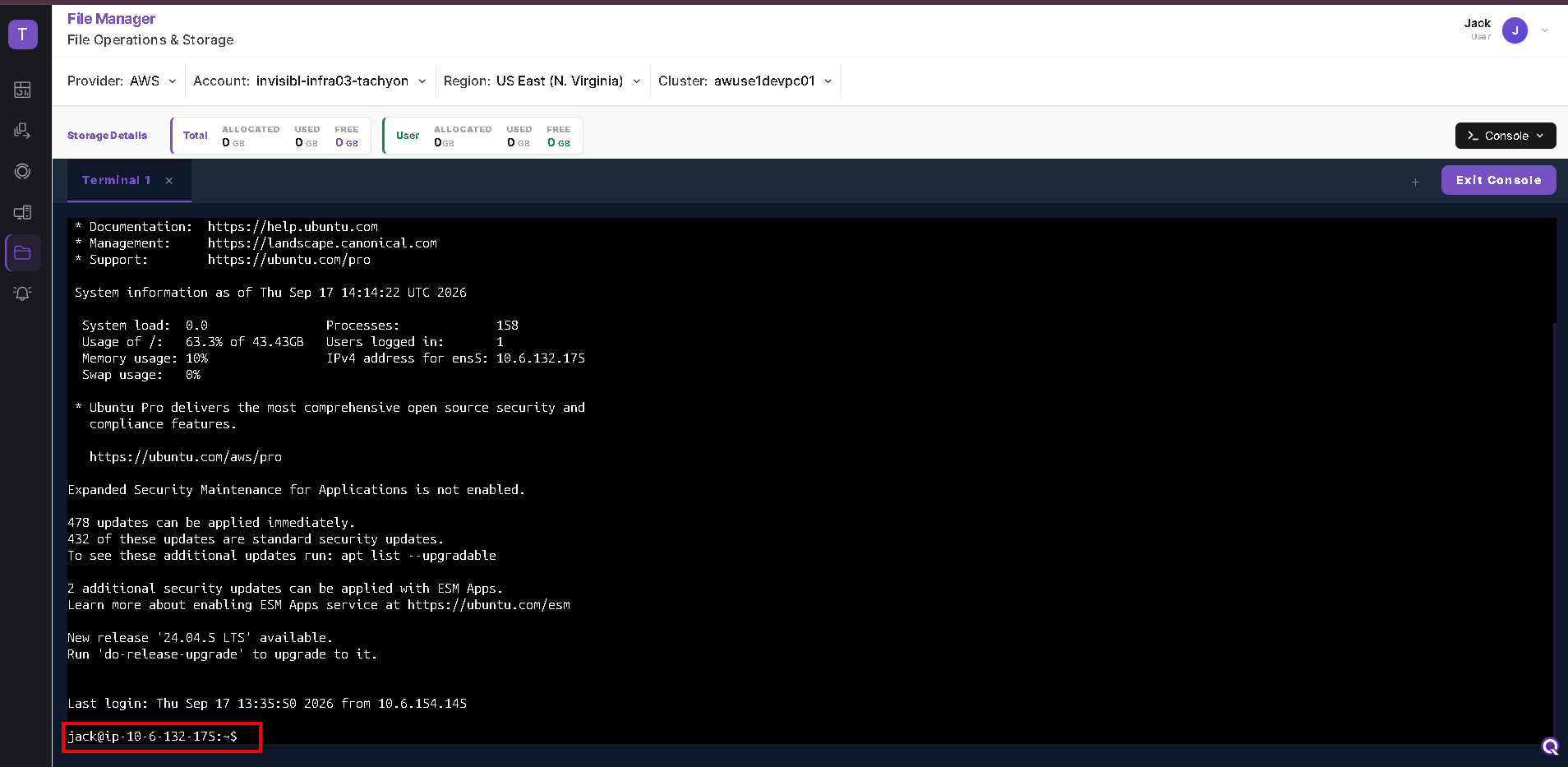
Wait for the command prompt before entering commands.
Use the Terminal
You can use commands such as:
pwd
ls
pwddisplays your current directory.lslists the contents of your current directory.
File and directory access depends on the permissions assigned to your account.
Console Controls
The console displays:
- A terminal tab, such as Terminal 1.
- An X on the terminal tab.
- A + control.
- An Exit Console button for leaving the console view.
The number of simultaneous sessions permitted for your account is configured by your administrator.
Troubleshooting
| Issue | What to check |
|---|---|
| Shell initialization fails | Confirm that the correct Provider, Account, Region, and Cluster are selected. |
| A message asks you to enable admin settings for the cluster | Ask your administrator to verify Shell Access settings for your user account and selected cluster. |
| Authentication fails | Verify your shell account credentials. Contact your administrator if the issue continues. |
| A file operation is denied | Check whether your account has permission to access the file or directory. |