Invoices
The Invoices tab provides organisation- and project-level billing statements for the generated billing periods.
Navigation
Navigate to:
Billing → Invoices
The invoice list displays information such as:
- Organisation or Project
- Billing Number
- Billing Period
- Spend
- Credits
- Total Charge
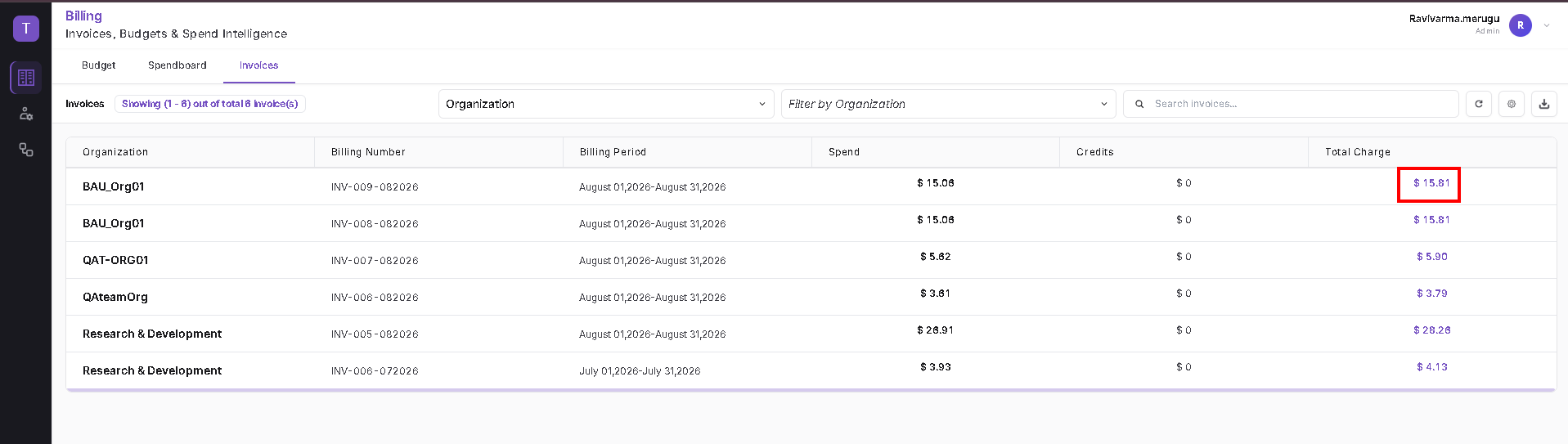
Select Invoice Type
Use the first selector to choose how invoices are grouped.
Available options are:
- Organisation
- Project

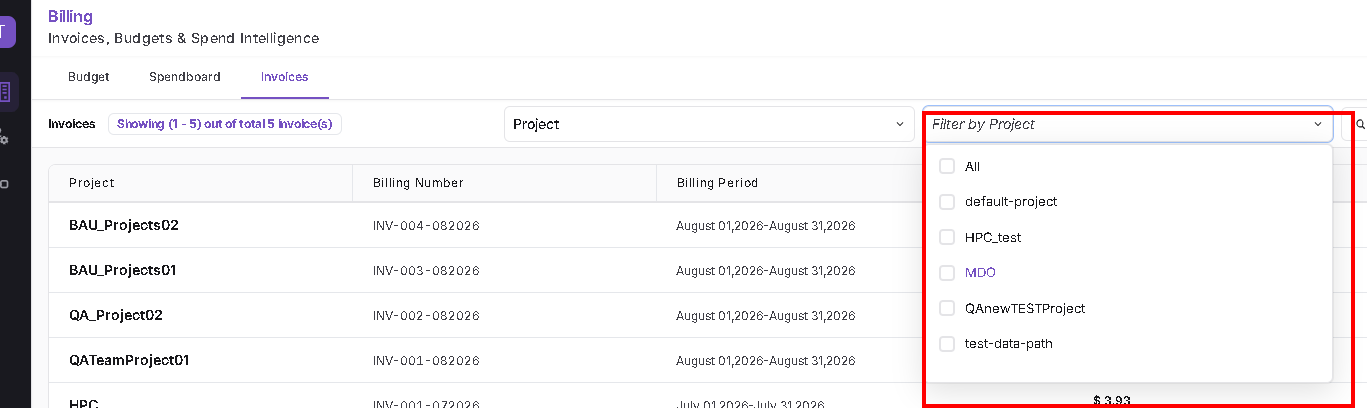
Filter by Project
When Project is selected:
- Open Filter by Project.
- Select the required project.
- Review the matching invoice rows.
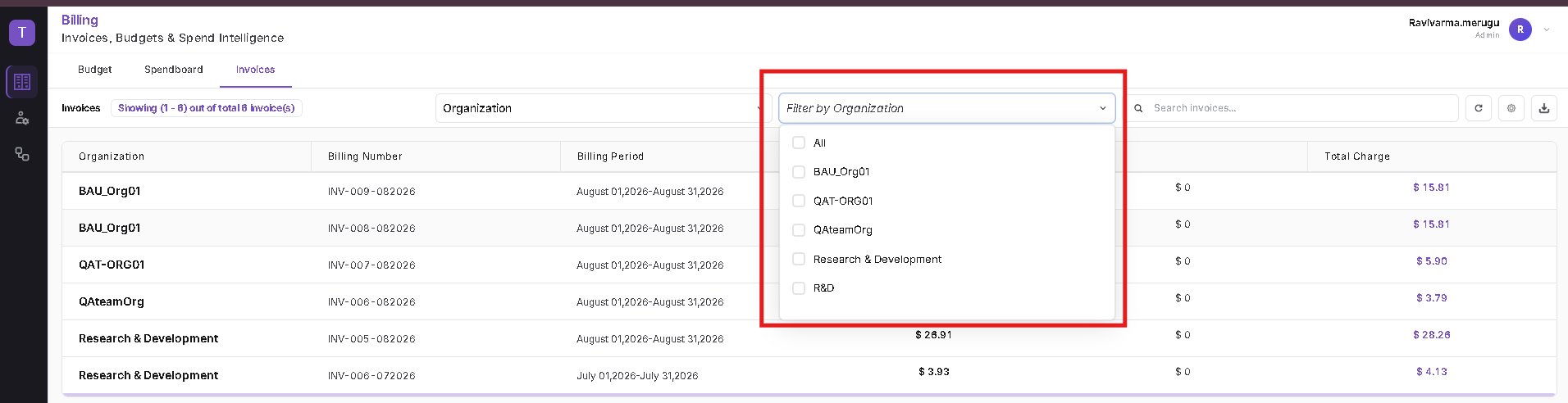
Filter by Organisation
When Organisation is selected:
- Open Filter by Organisation.
- Select the required organisation.
- Review the matching invoice rows.
Search Invoices
Use the search control to locate a specific invoice.
The available Search By options in the current UI include:
- Billing Number
- Billing Period
- Credits Applied
- Department
- Spend
Select the required search field and enter the value in Search invoices.
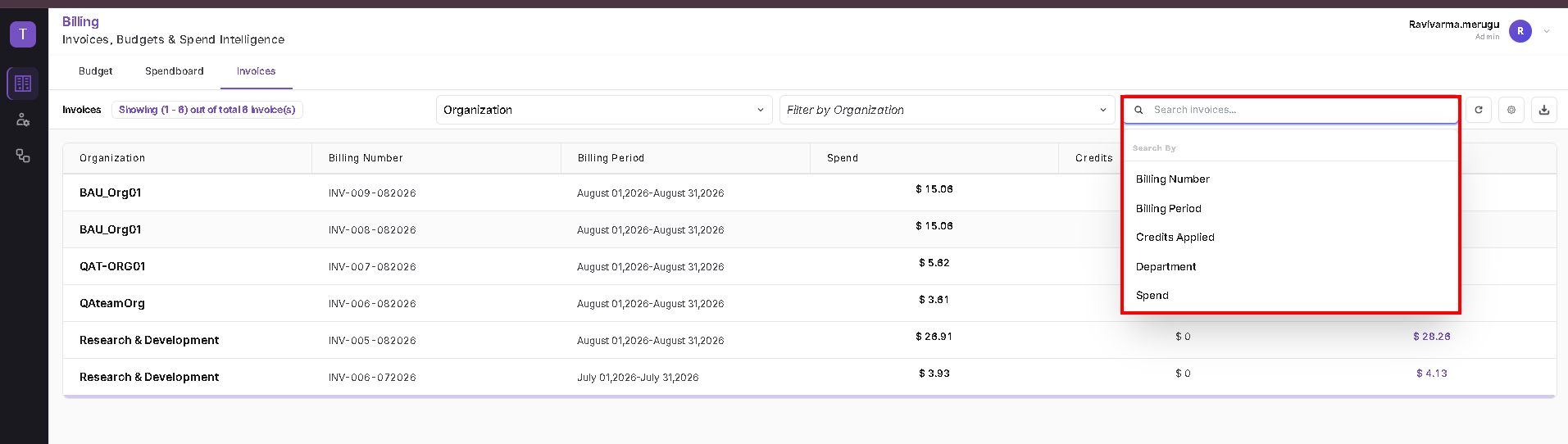
The page also provides refresh, settings, and download controls.
View an Invoice Statement
To open an invoice statement, select the linked Total Charge for the required invoice row.
The statement displays the selected organisation or project, invoice number, and invoice period.
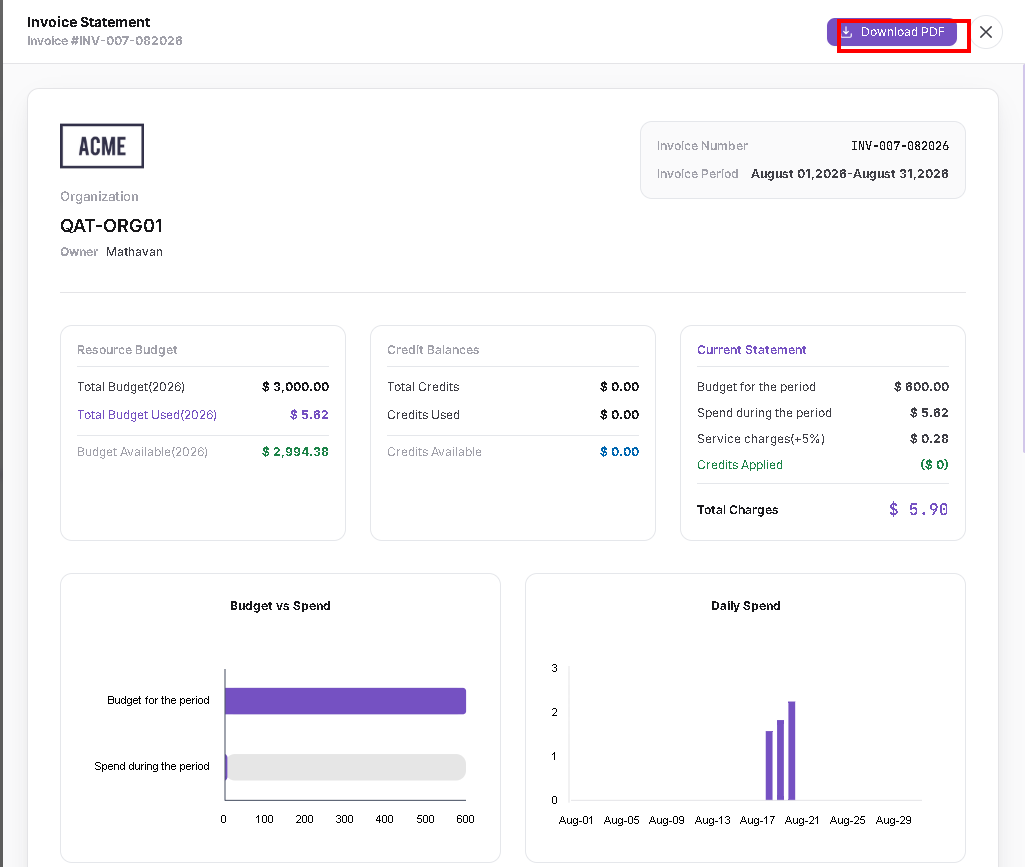
The statement can include:
Resource Budget
- Total Budget
- Total Budget Used
- Budget Available
Credit Balances
- Total Credits
- Credits Used
- Credits Available
Current Statement
- Budget for the period
- Spend during the period
- Service charges
- Credits Applied
- Total Charges
Charts
- Budget vs Spend
- Daily Spend
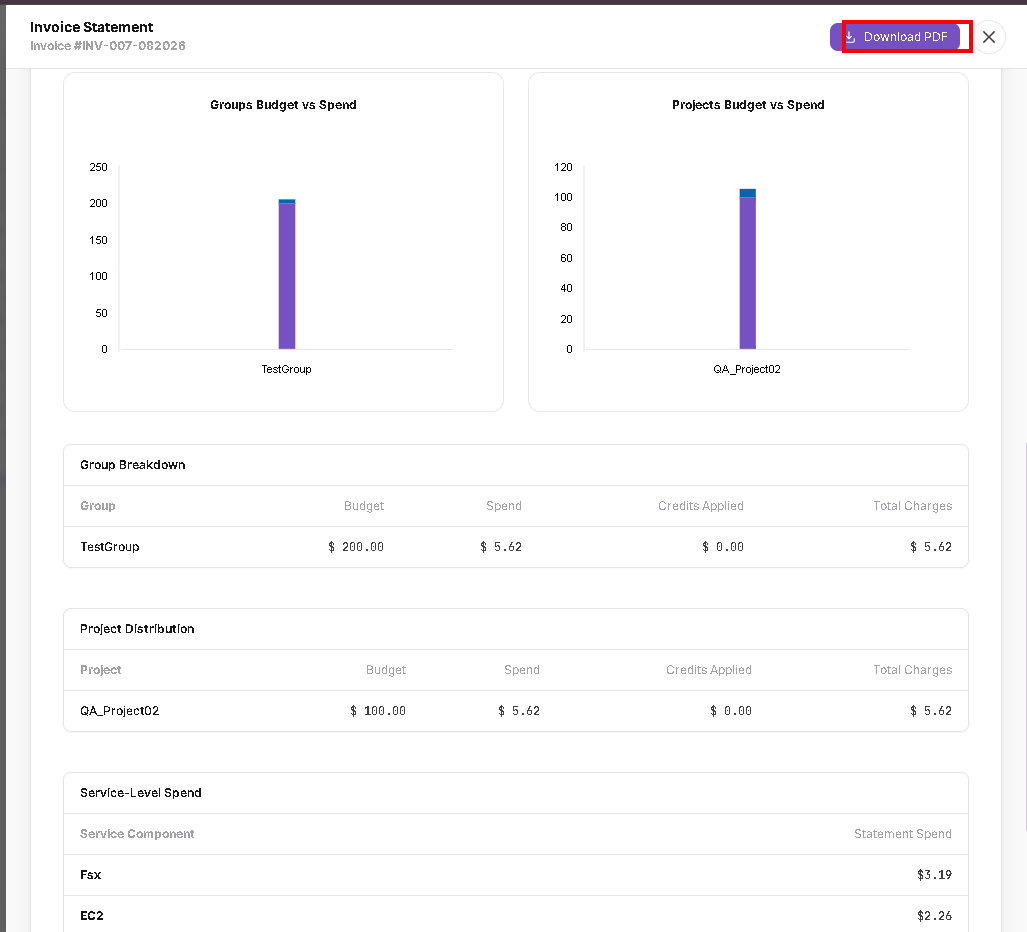
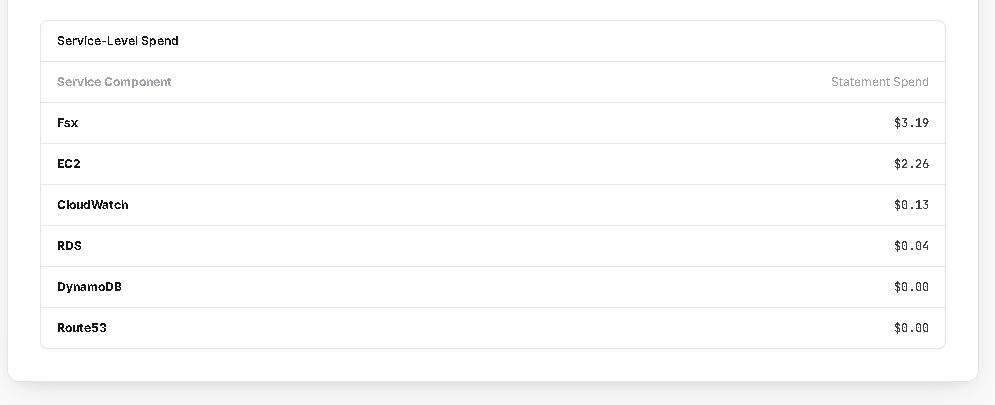
Additional sections can show organisation/group/project breakdown information and service-level spend.
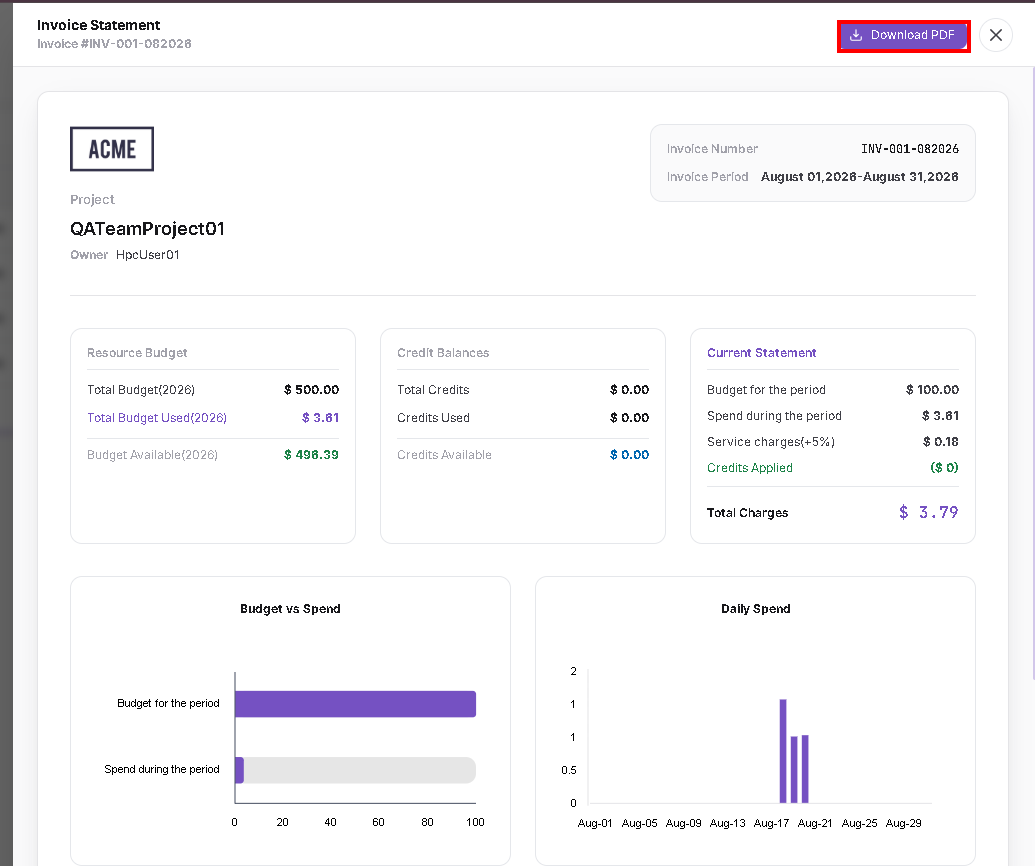
The same invoice statement layout is also available for project-level invoices.
Download an Invoice
- Open the required invoice statement.
- Click Download PDF at the top-right.
- Save or share the generated invoice as required.
- Use the Organisation/Project selector before applying the corresponding filter.
- Total Charge opens the detailed invoice statement.
- Invoice statement values reflect the selected billing period.