Knowledge Base
The Knowledge Base module allows administrators to create and maintain document collections that can be used as product knowledge sources.
View Knowledge Bases
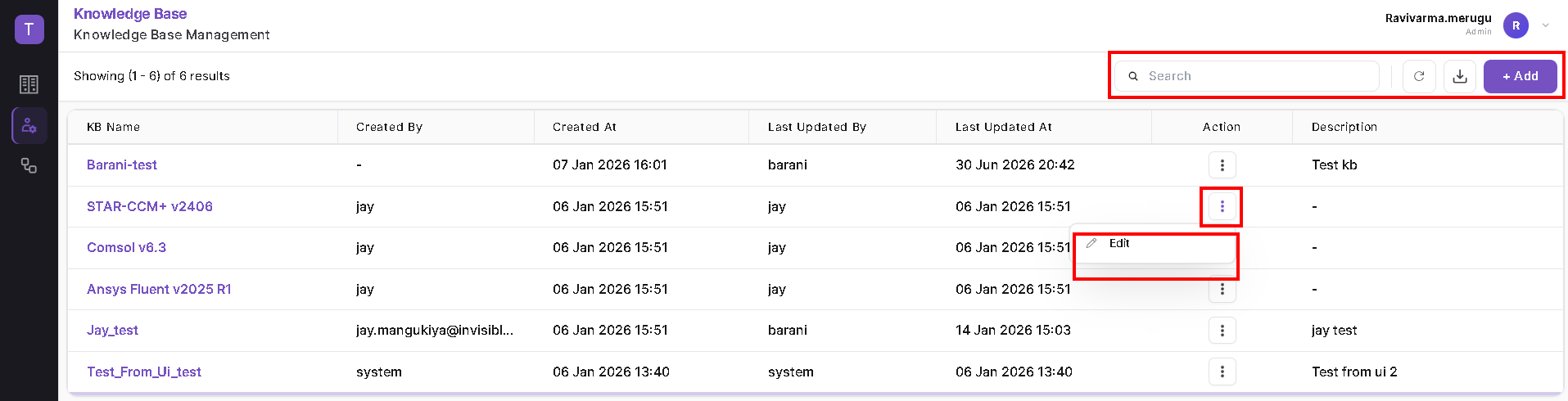
Navigate to Admin → Knowledge Base. The page displays the available knowledge bases with details such as KB Name, Created By, Created At, Last Updated By, Last Updated At, and Description. Use Search to locate a knowledge base, Refresh to reload the list, or Add to create a new knowledge base.
Create a Knowledge Base
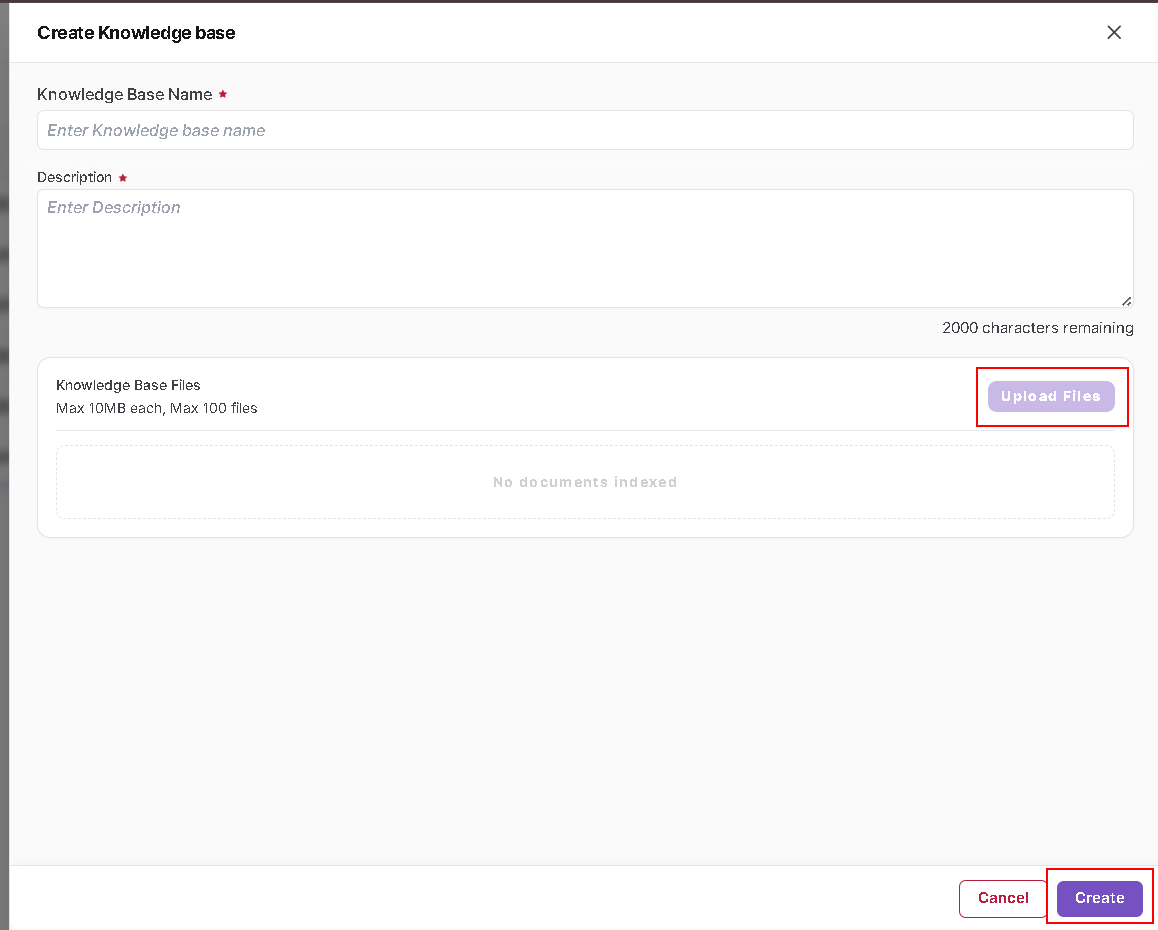
- Click Add.
- Enter the Knowledge Base Name.
- Enter a Description.
- Under Knowledge Base Files, click Upload Files and select the required documents.
- Review the uploaded files and click Create.
!!! note Each uploaded file can be up to 10 MB, and a knowledge base can contain up to 100 files, as shown in the current UI.
Edit a Knowledge Base
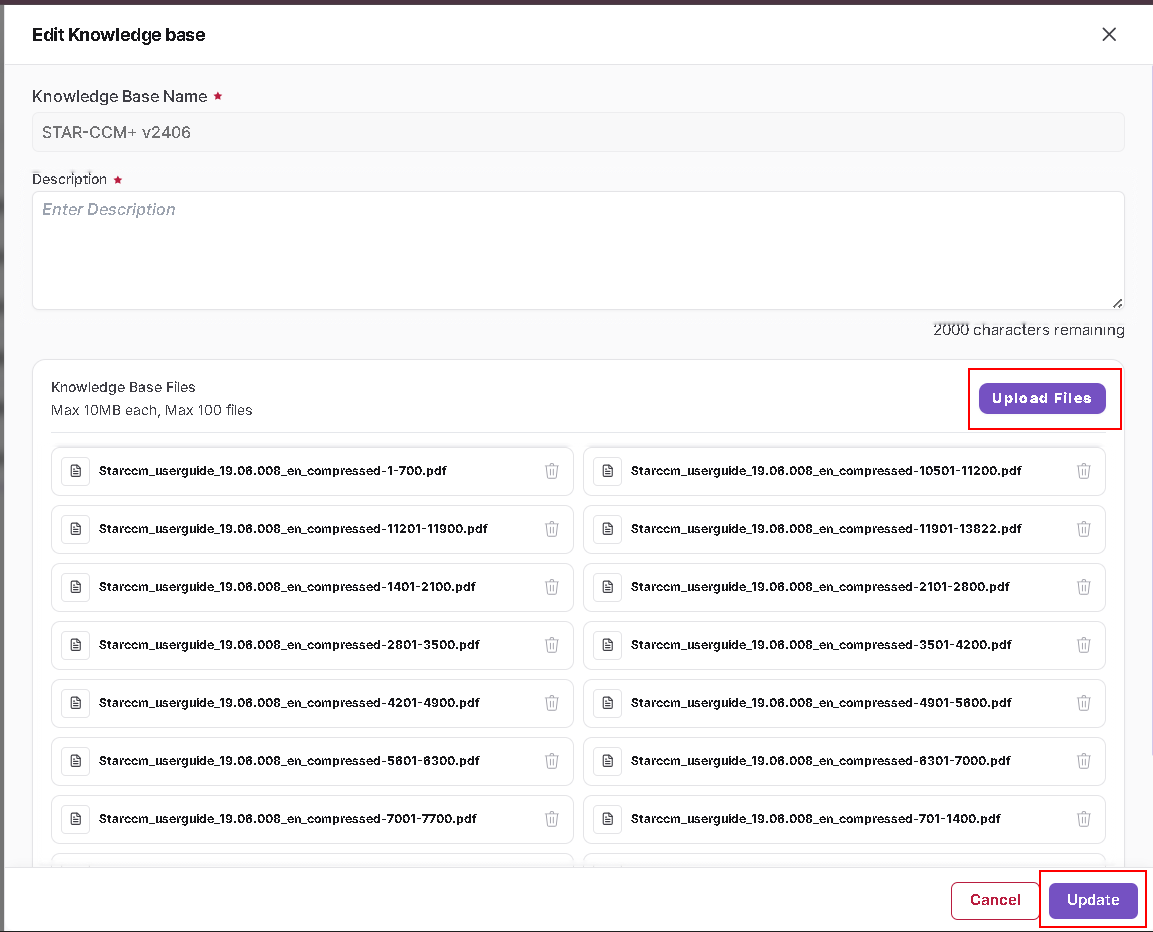
From the Knowledge Base list, open the Action menu and select Edit. Update the description or manage the indexed files as required, then click Update to save the changes.